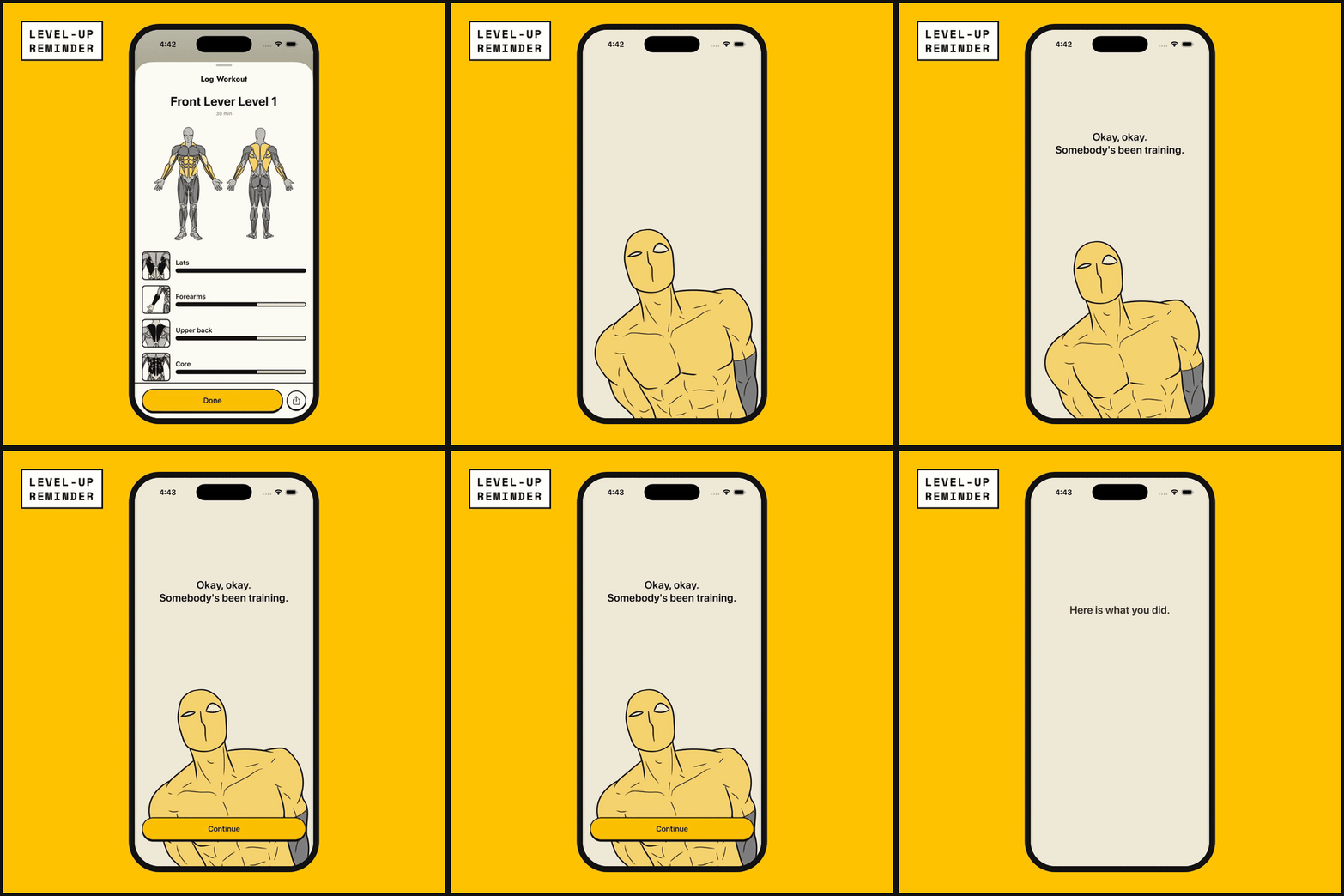
Moving up a level used to mean remembering to check whether you were ready.
Now the app does the checking.
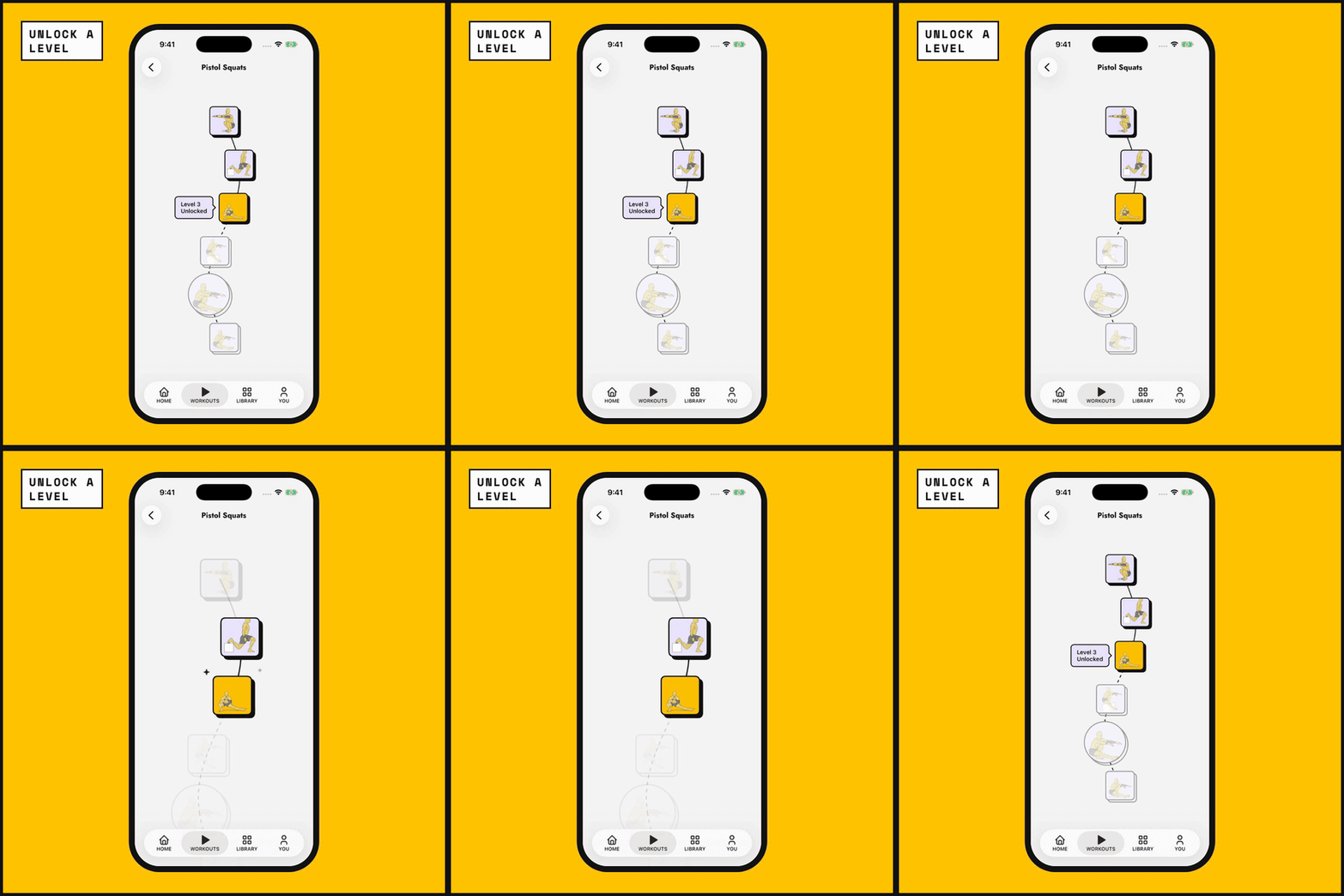
The app now reminds you when it is time to level up. When you have done enough, it tells you, and it shows how far along you are, so you move up at the right time.
Also new
In a normal workout, keep holding past 0:00 and the extra seconds count. Pause and carry on if you need to, then use the tick to lock in your total.
The app now announces the reps and the hold time when a set starts, so you know the target without looking at the phone.
The rest-screen count correction is redesigned: clearer, with less to second-guess.
Android: the rest timer shows outside the app, and reminders ring on the minute.
Update 12
tap a muscle. see what trained it
Your muscle map used to show colour and nothing else. Yellow meant worked, grey meant skipped, and that was it.
Now it tells you why.
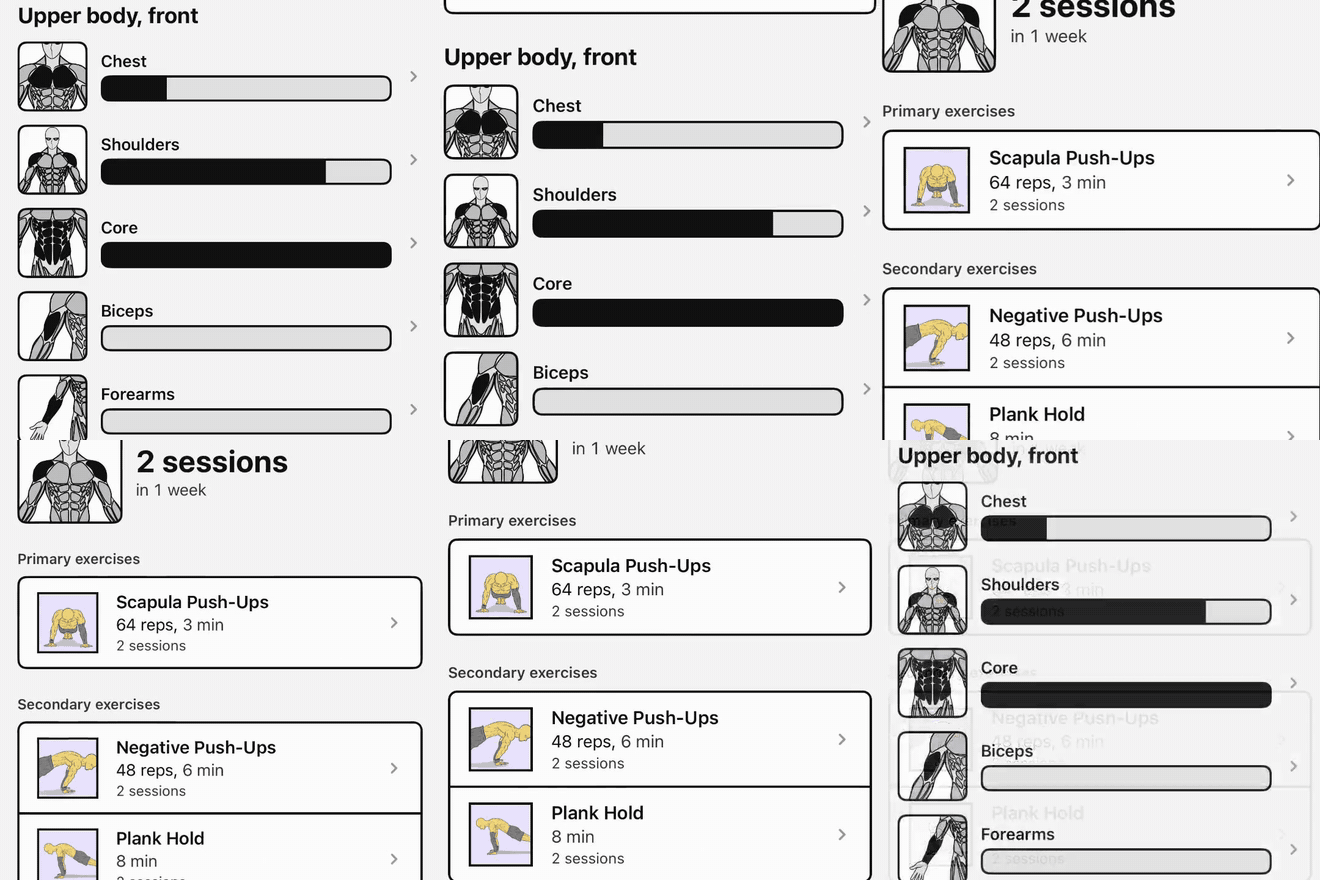
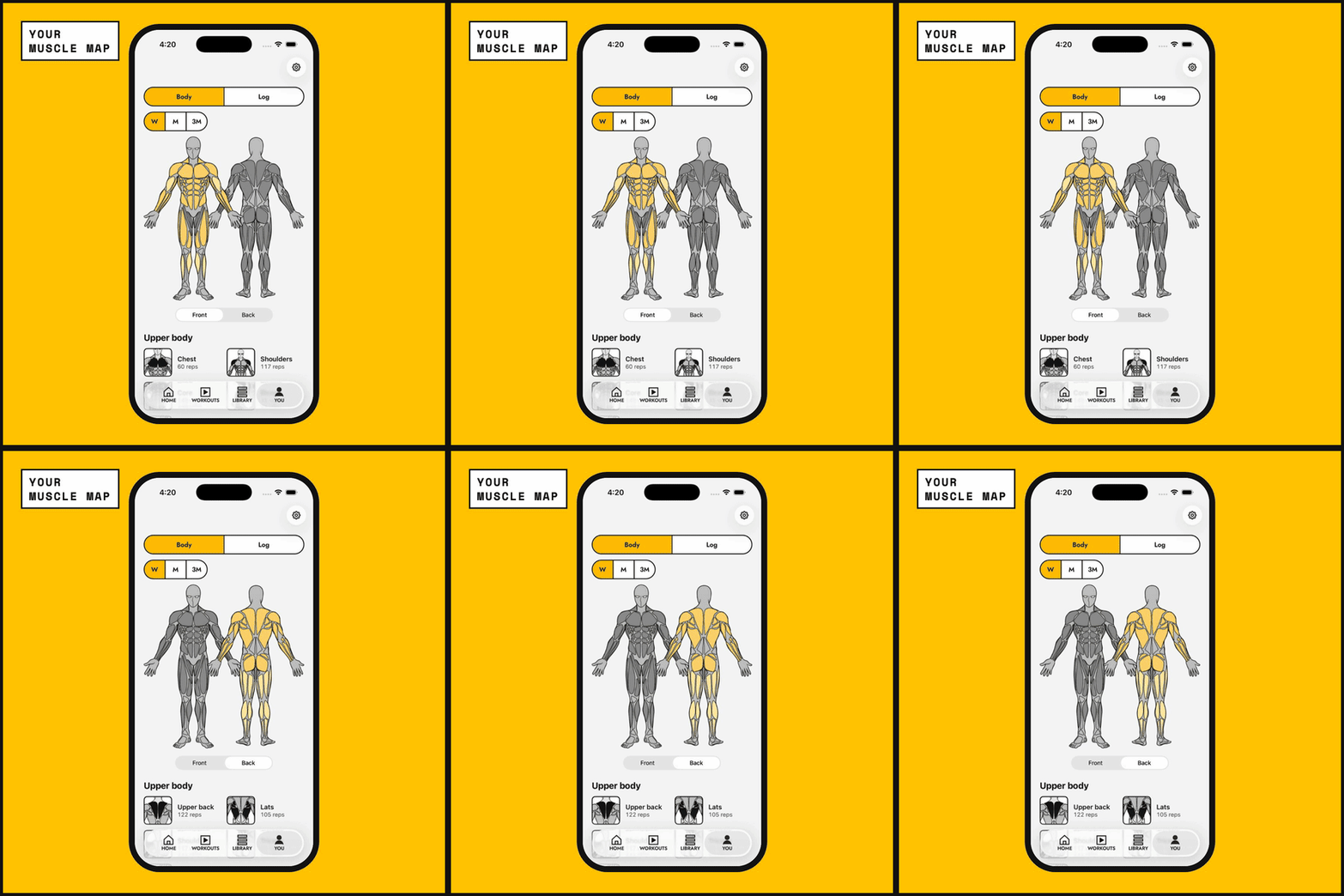
Tap a muscle, see what trained it. Open the YOU tab and tap any muscle. You get every exercise that worked it, with the reps you actually did. Shoulders way ahead of your back? Now you can see which moves did it.
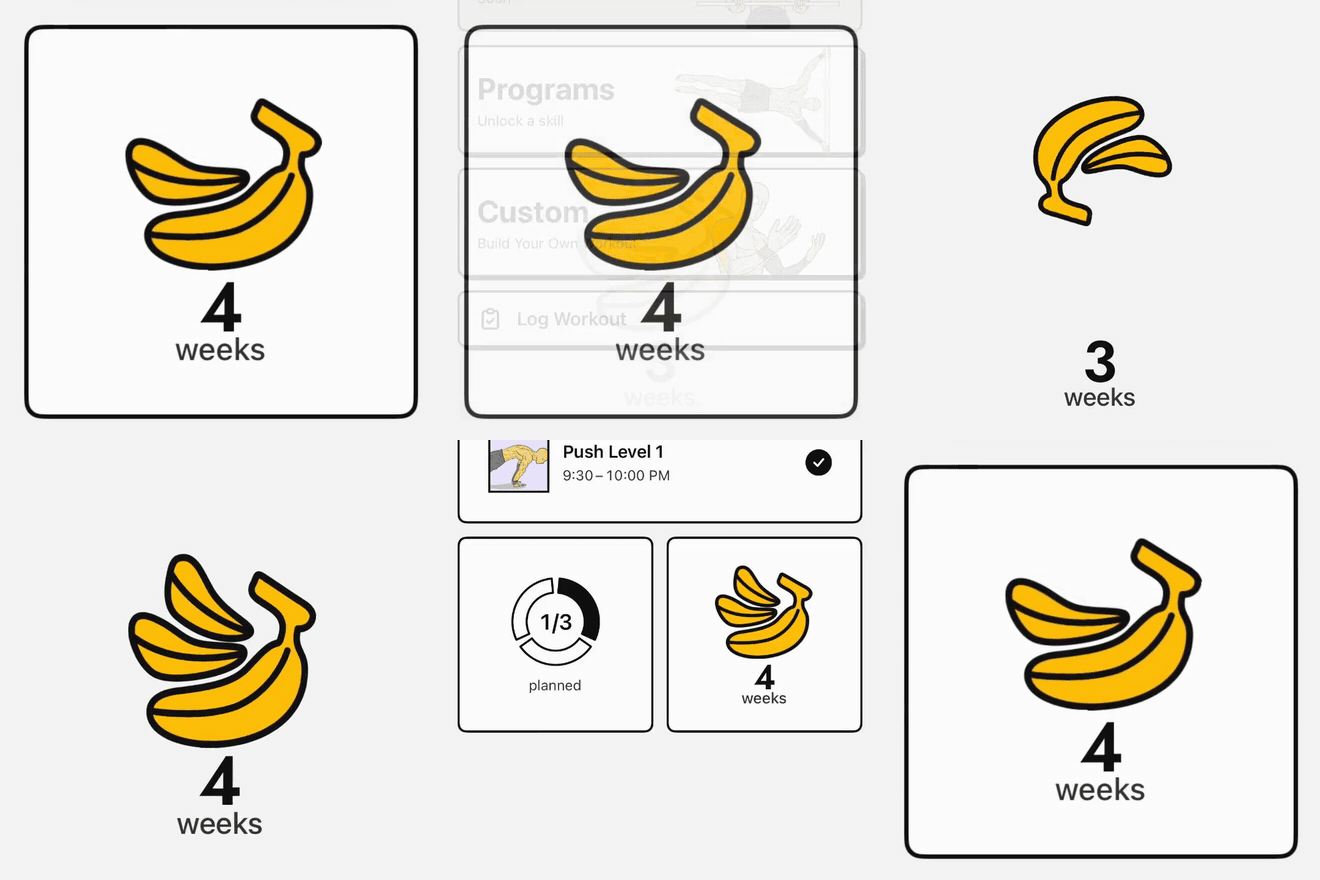
Your streak is a banana now. The flame is gone. Why a banana? Why not. It grows a level every week you train, and a skipped week takes it down one level, not back to zero.
Also new
Every exercise has a History tab with your best set ever and a chart by month.
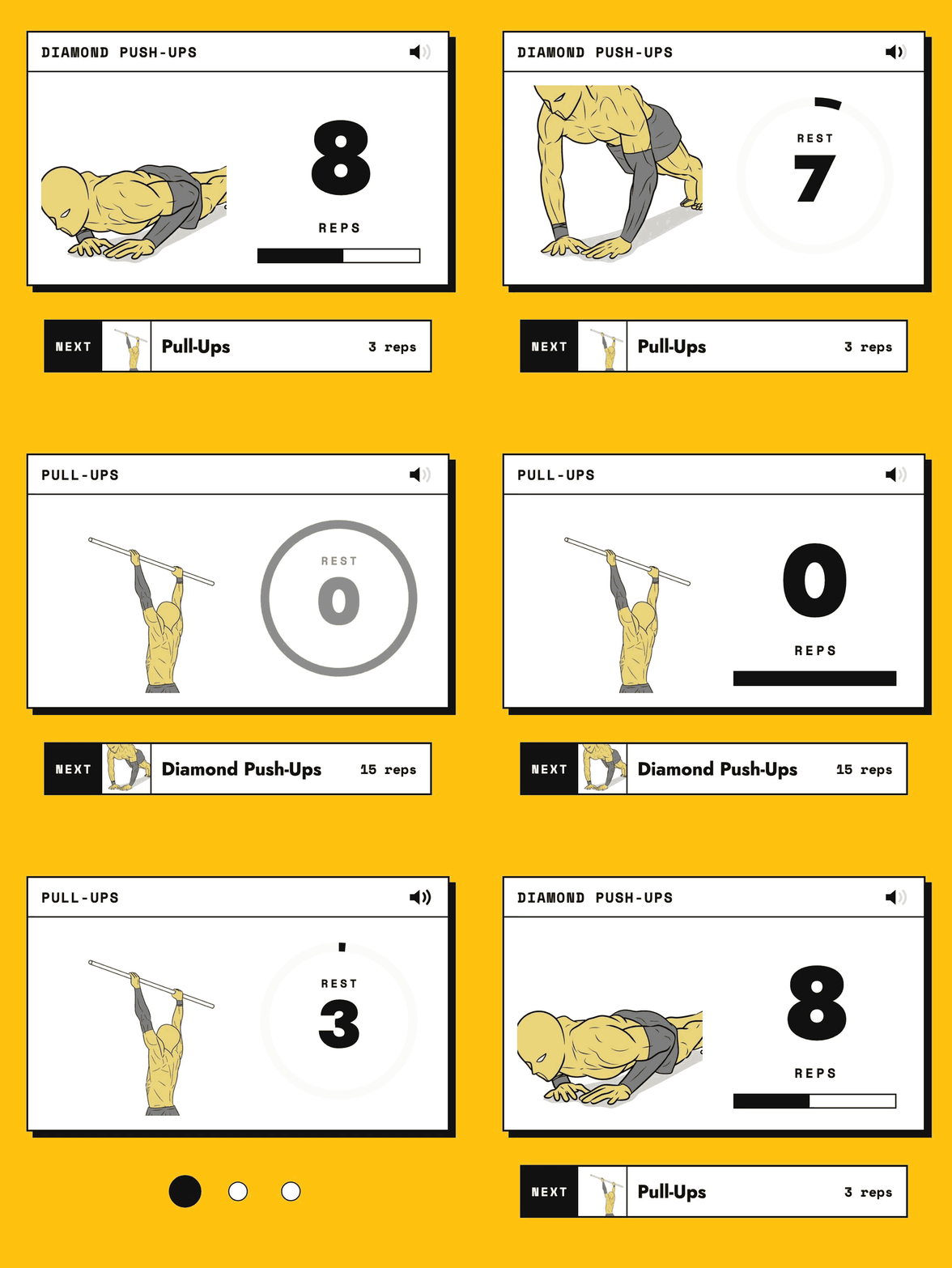
Hands-Free gives you 6 seconds to get in position before the next move.
A workout you log by hand lights up your muscle map too.
Update 11
the one rule behind the app
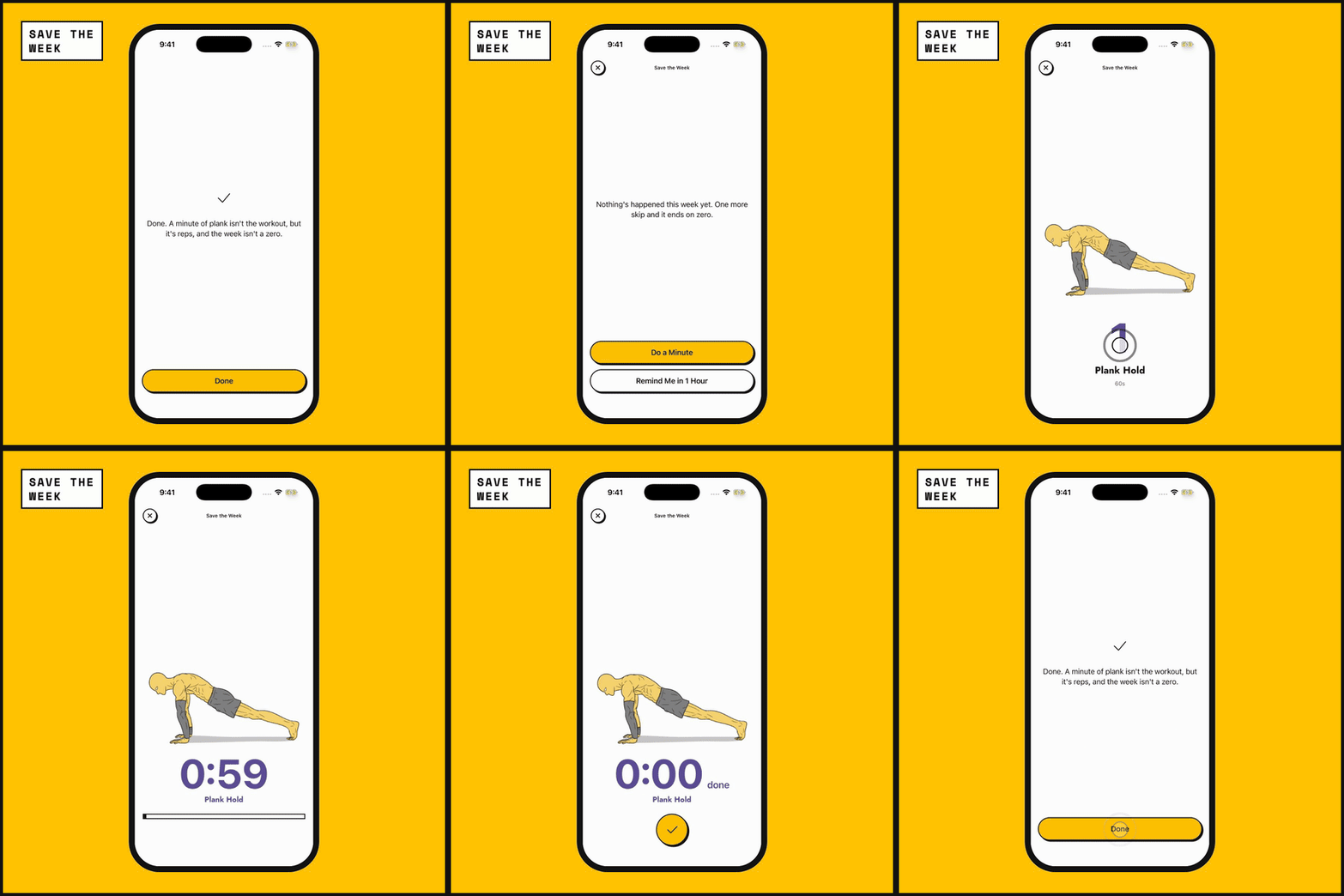
The Yellow Dude app is built on one rule: your week should never end on zero. A short week is fine. A zero week is the one that breaks the habit. Three new things that help you keep it.
Save the Week. If your week still has nothing in it near the end, the app asks you once. Do one minute of a plank, push-ups or squats, and the week isn't a zero.
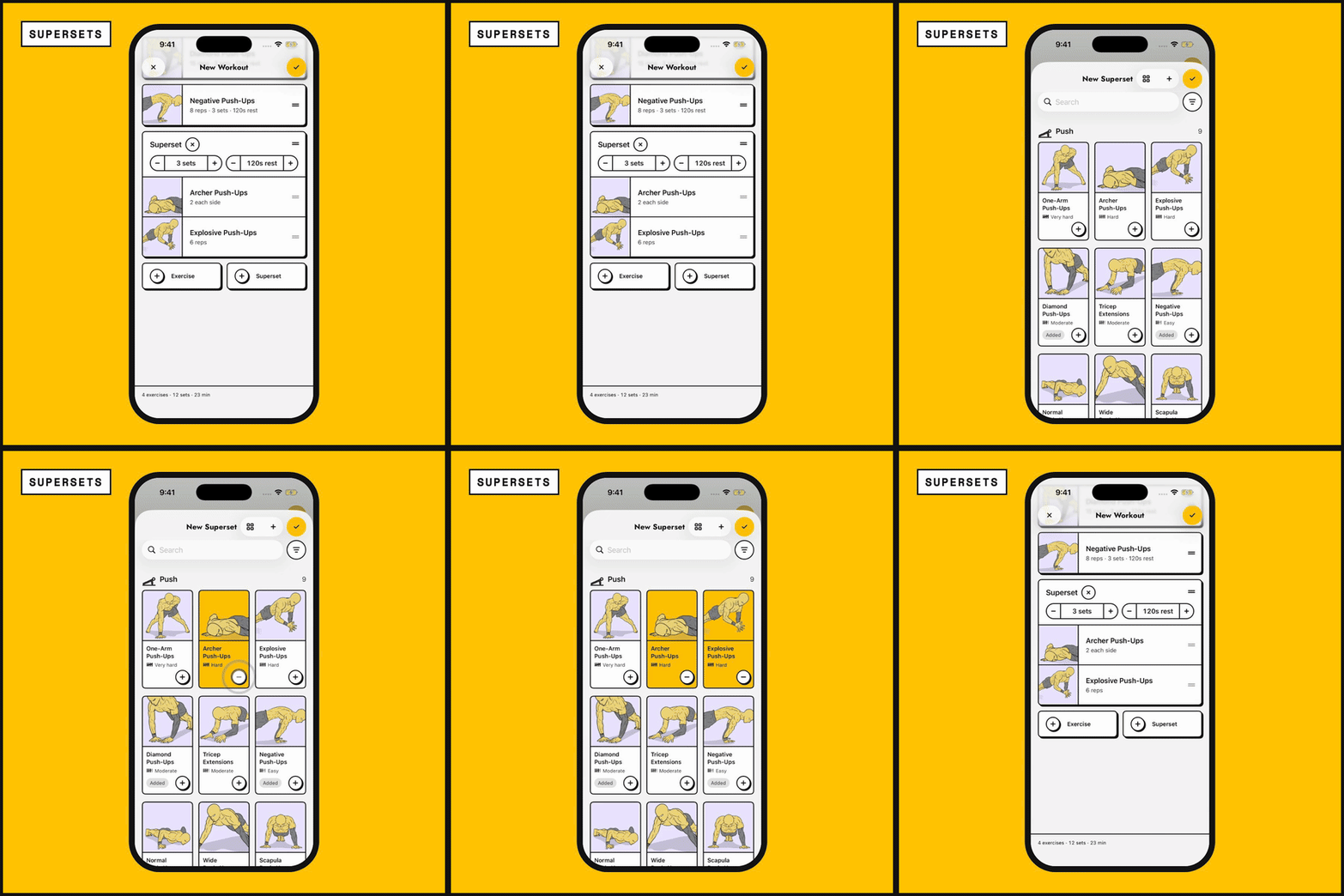
Supersets in two taps. Pair two moves back to back and rest once. You finish sooner, or fit harder work into the same time. Tap + Superset at the bottom of any workout.
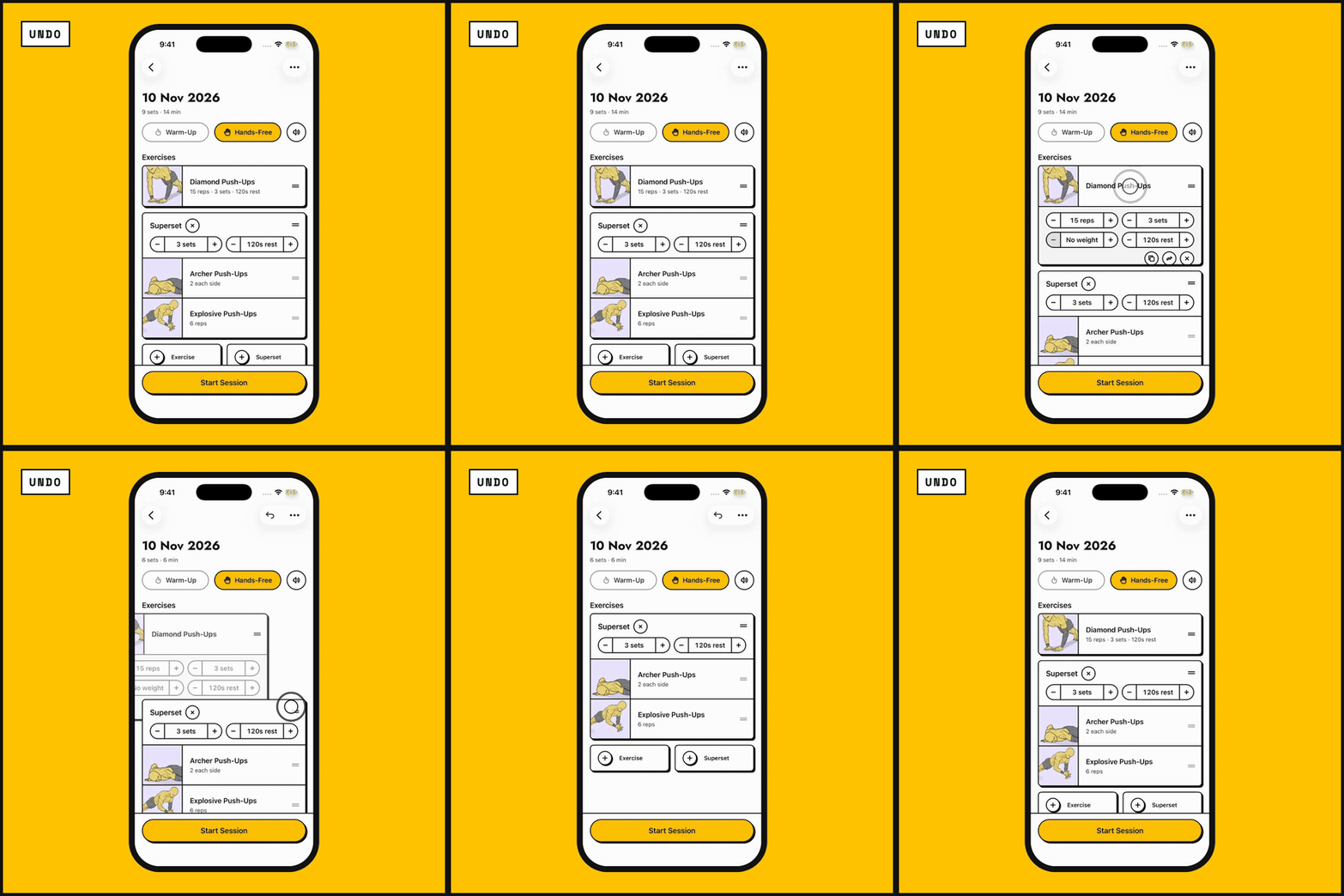
Undo. Removed an exercise by mistake? Tap undo and it's back. No rebuilding.
Also new
Every workout on a day can have its own time.
Update 10
a week without workout = failed week
Quick one. Three things the Yellow Dude app does now that it didn't last week.
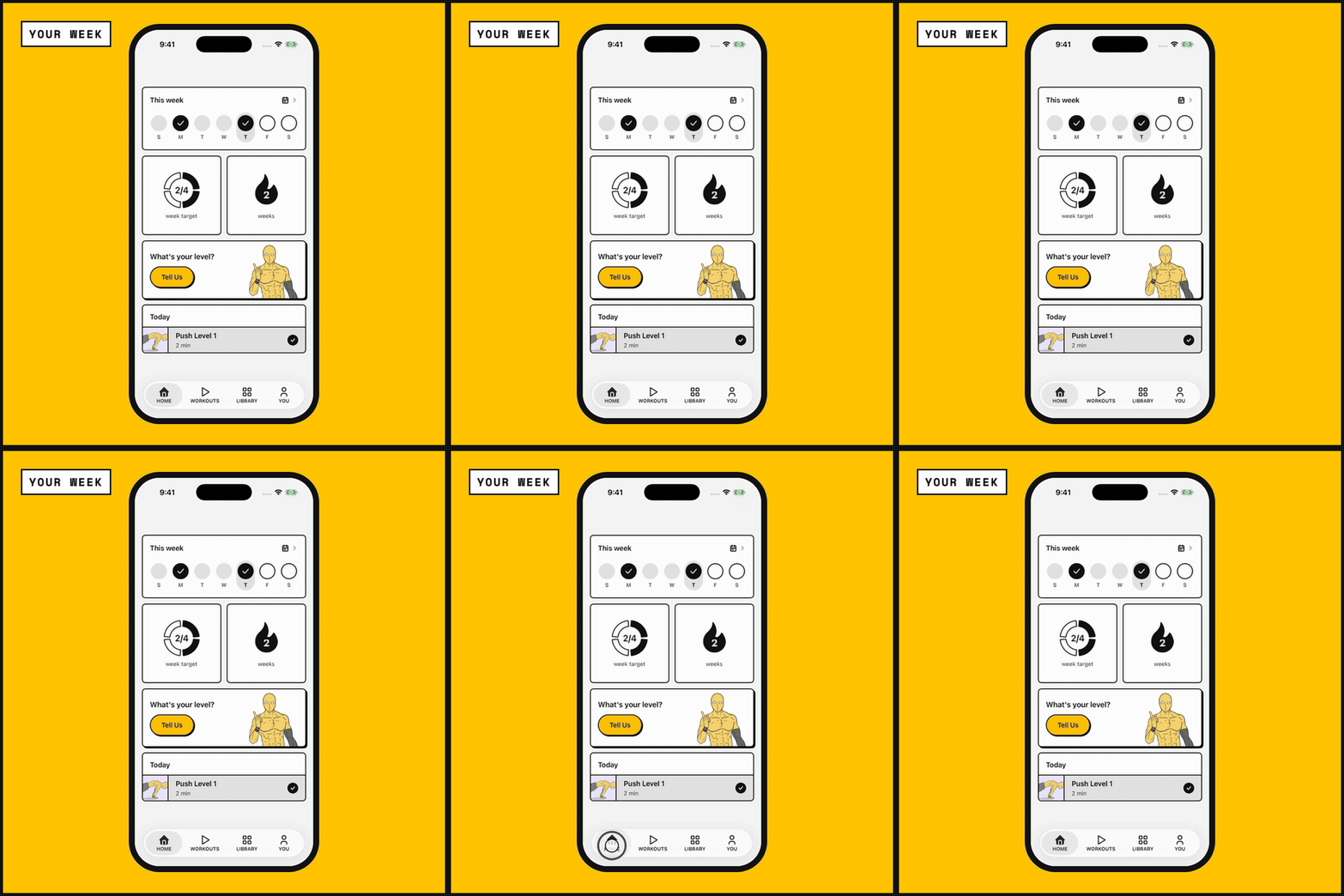
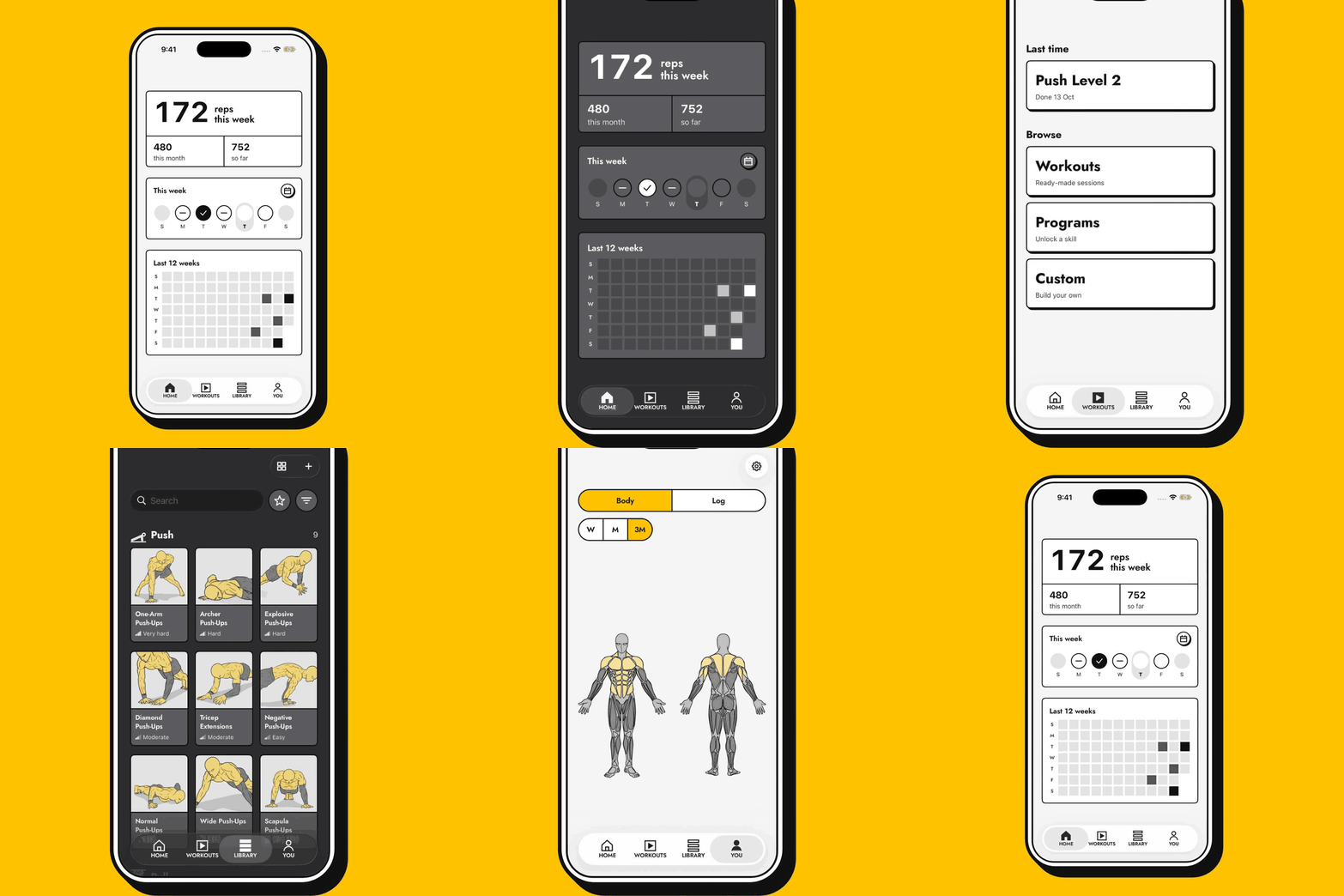
Know where your week stands. Open the app and you see how close you are to this week's goal, and how many weeks in a row you've kept it. A week you can see is a week you finish.
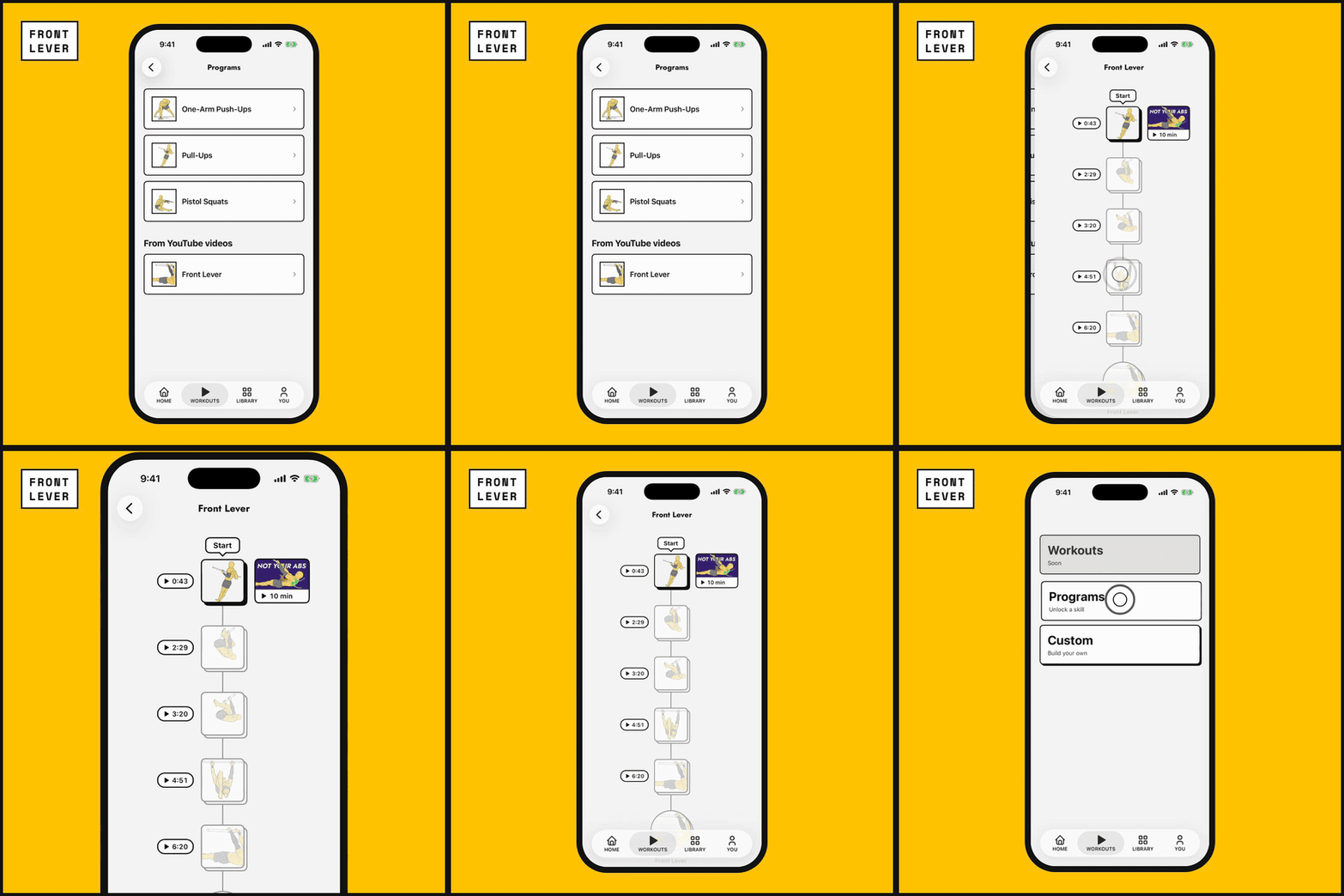
Watch the path grow. Every program is a path of levels. Hit a level's checkpoint, tick it, and the path to the next level draws itself in front of you.
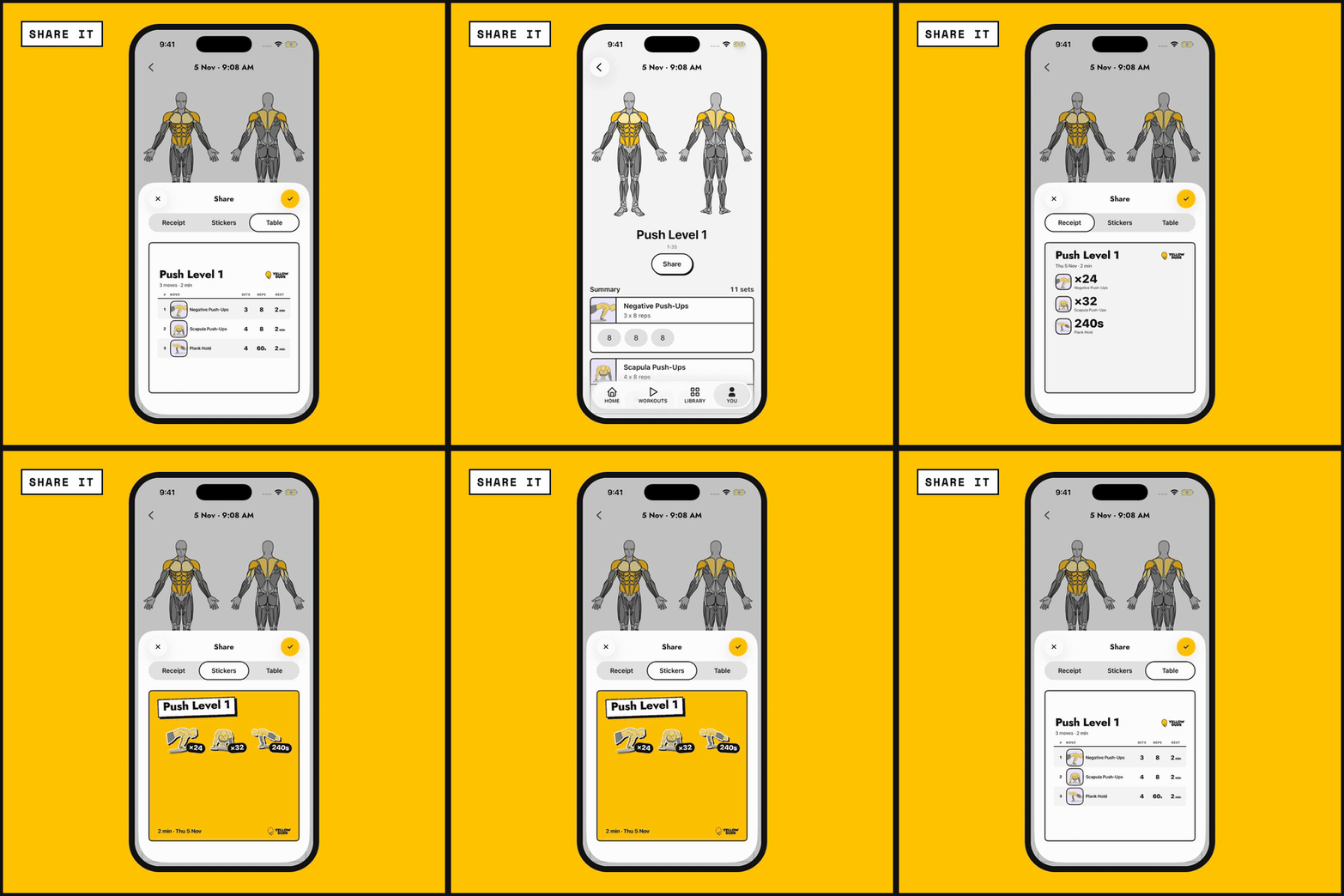
Show your work. Finish a workout and send it as a picture: a receipt, a sticker sheet, or a gym sheet of the whole plan. Your friends will ask what app that is.
Also new
Plan a different workout on any one day.
A bar for every muscle on YOU, so you see what you're skipping.
Update 9
the workout you did off-app counts too
Some of your best workouts happen away from your phone.
And the app never knew about them. Your muscle map stayed blank, your week looked empty, and the only fix was starting a fake workout.
Not any more.
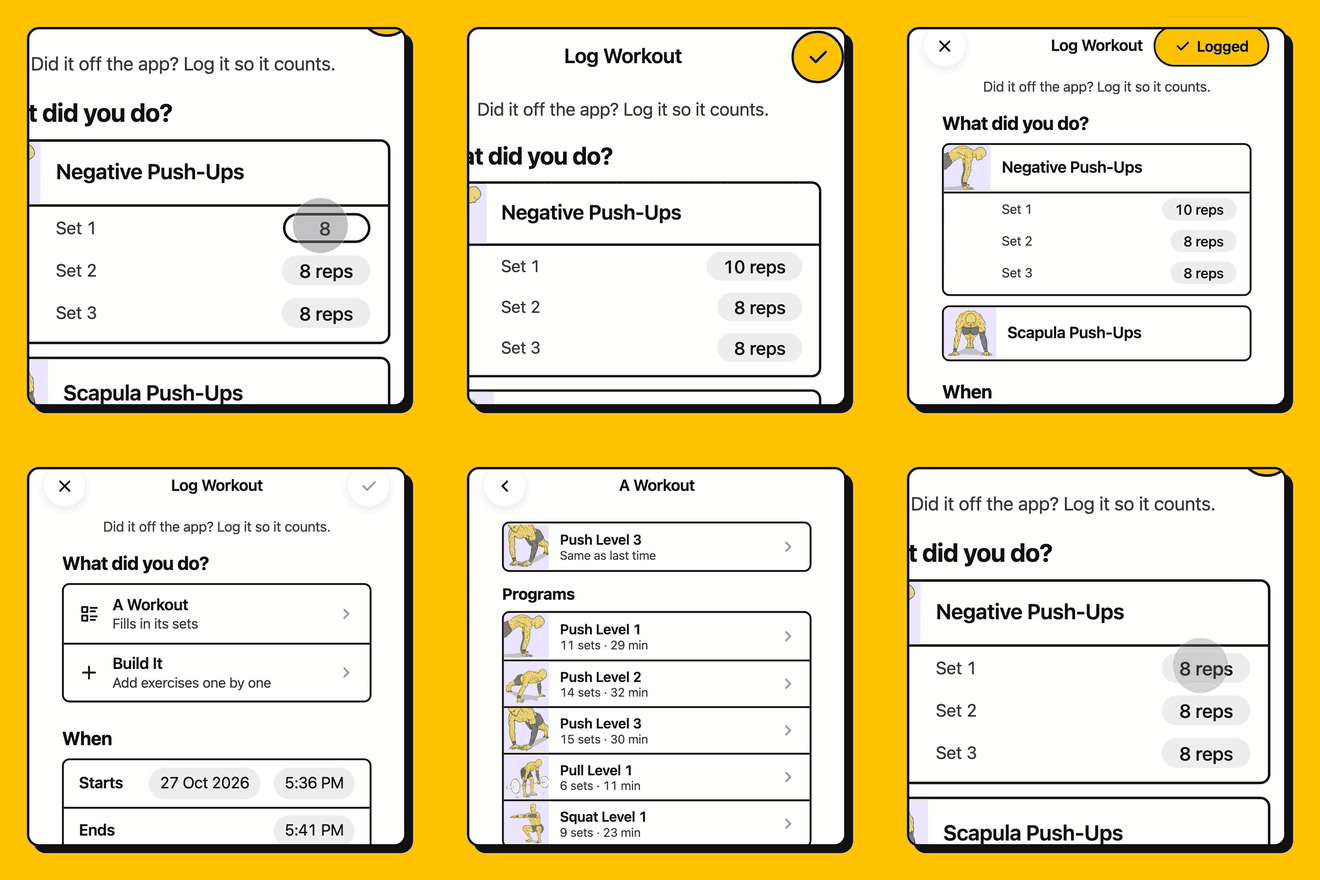
Log it after. It counts.
Log Workout lets you add a session afterwards, set by set. Your muscle map, your week and your progress catch up. No fake workout.
Know what to beat.
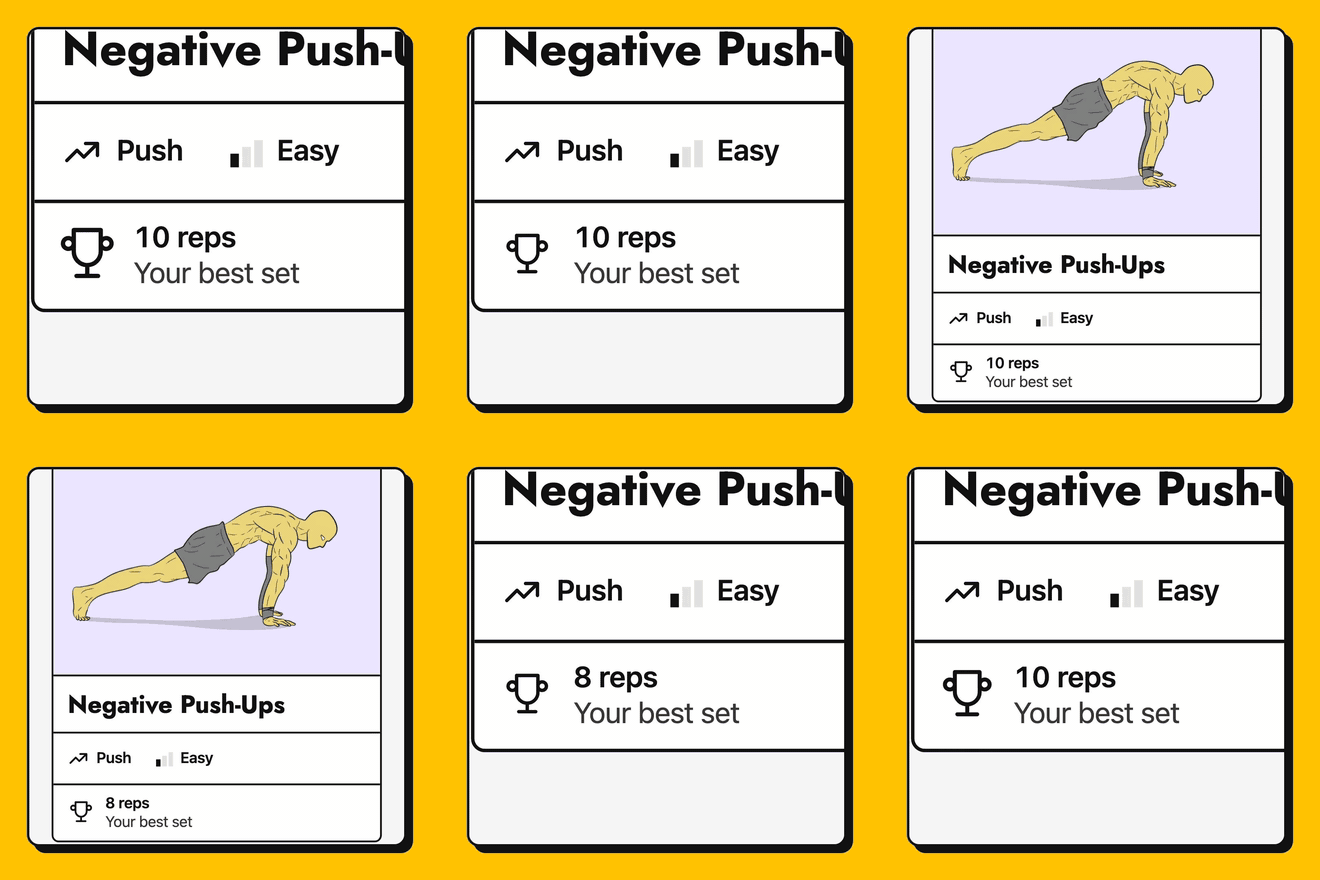
Know your best set on an exercise and you know what to aim for next, and what to set in your next program. That is Personal Records, one row under each exercise.
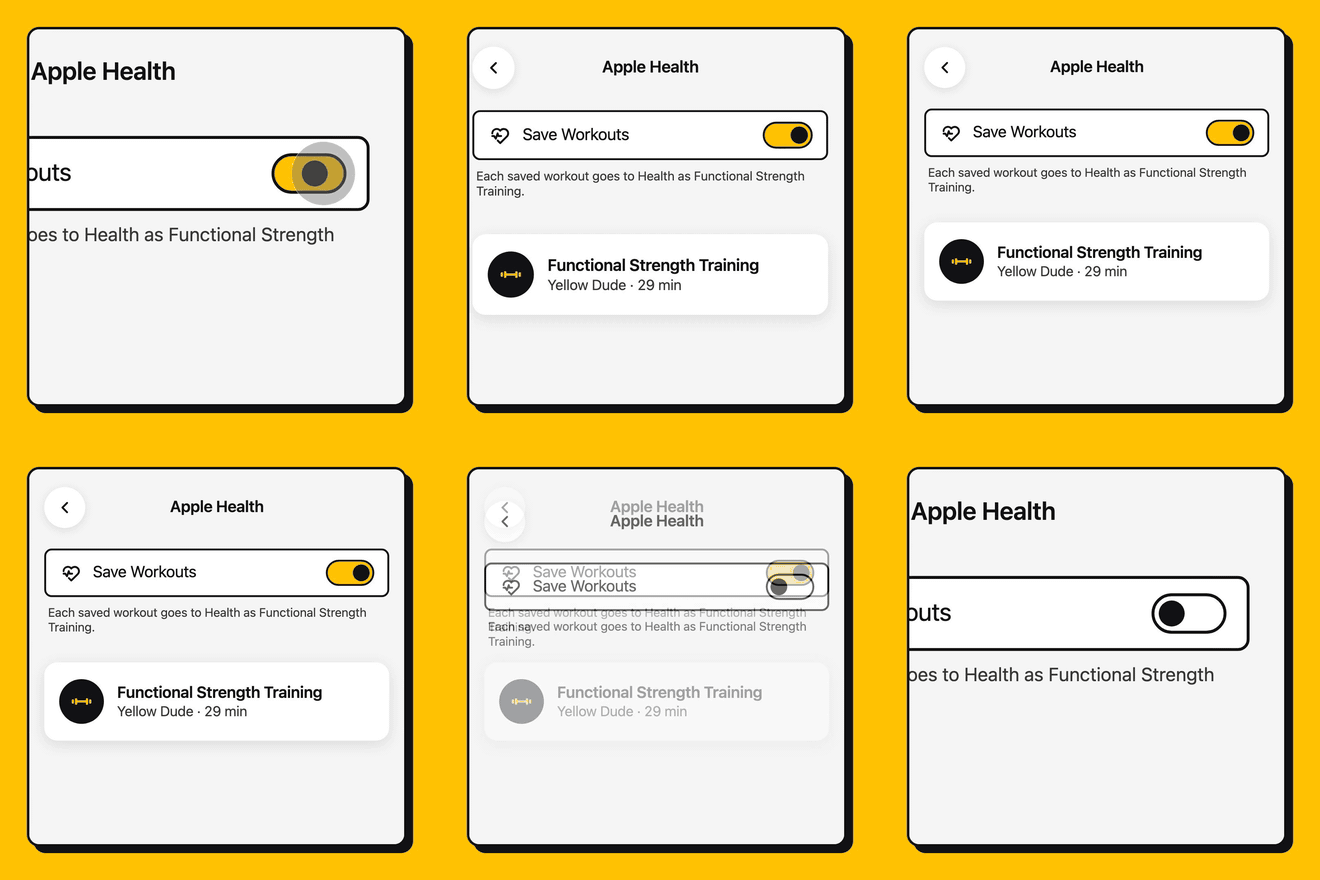
Health sees your work.
Your training lands in Health with the rest of your numbers, with no typing. That is Apple Health sync. We're working on bringing this to Android too. Right now it's iPhone only.
Also new
Your week's reps count up after each workout.
Hold the last tick to finish, so a stray tap cannot end your workout.
Update 8
stop guessing what's next
Most people don't quit working out. They run out of plan.
Day one, you're fired up. Day thirty, you're staring at your phone. Which exercise? How hard? Am I ready for the next one? Guess wrong and you stall. Guess too big and you get hurt.
So we took the guessing out.
Every program in the app is now a path. Five levels. Hit the standard on one, the next one opens. Not before. Reach the goal and the app tells you, with confetti. Yes, confetti.
The newest path is the front lever. We built it straight from our video: the hang, toes to bar, the tuck, the advanced tuck, one leg, then the lever. Every move drawn and moving.
Now, something we didn't plan: Android.
We built the beta for iPhone. But a lot of you are on Android, so we're doing you a solid. Google approved the Android app today. (We figured it would take 7 days. It took 2.) Seat holders are testing on iPhone right now, and the Android test opens by 26 Oct.
Why open it up? The feedback from our testers has been that good, and we want more of it. Come help us shape the app.
Update 7
make your own exercise
We just launched the beta, and there's a catch. The library only has the movements we started with, so odds are your favorite isn't in there.
So we built a way to add it yourself.
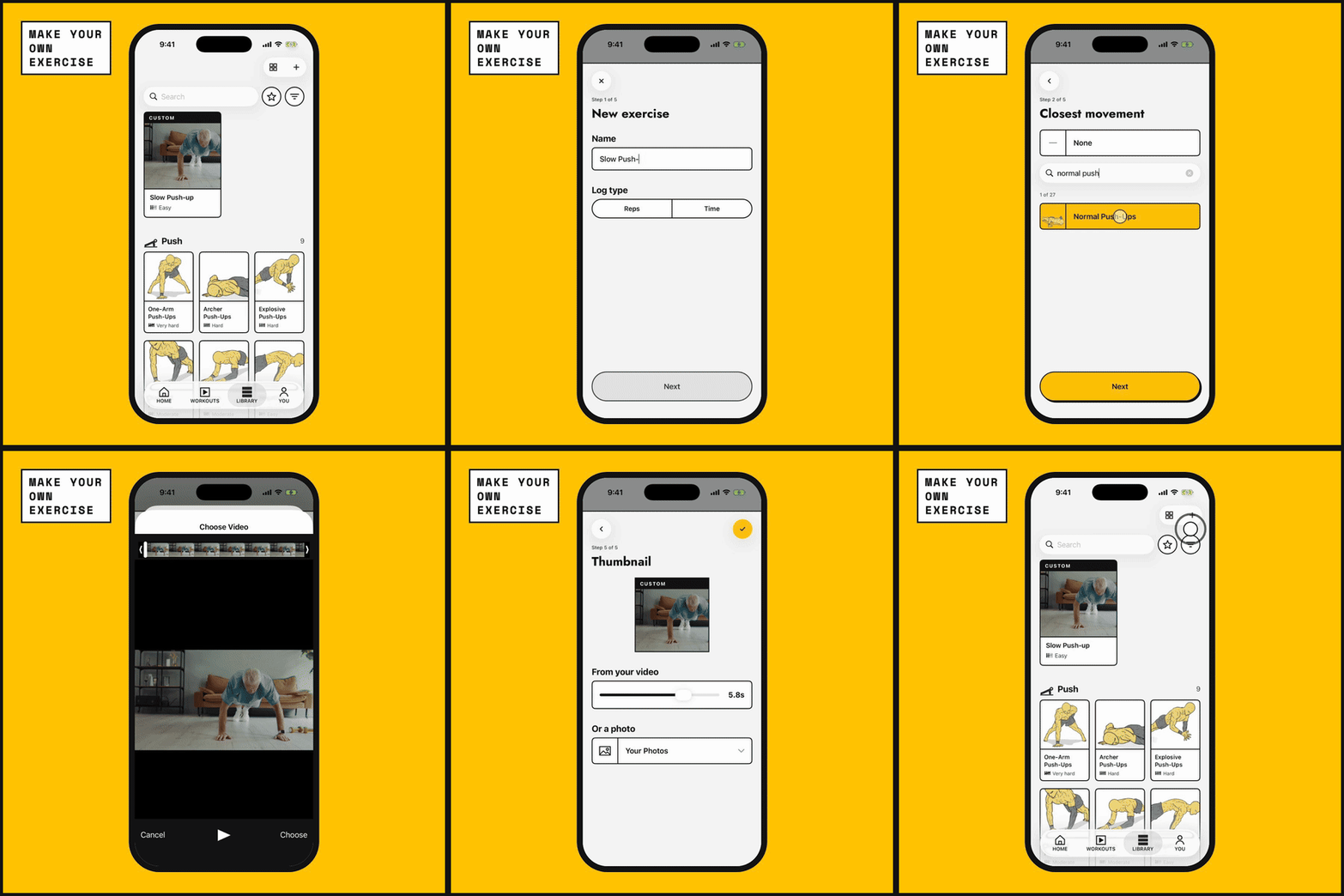
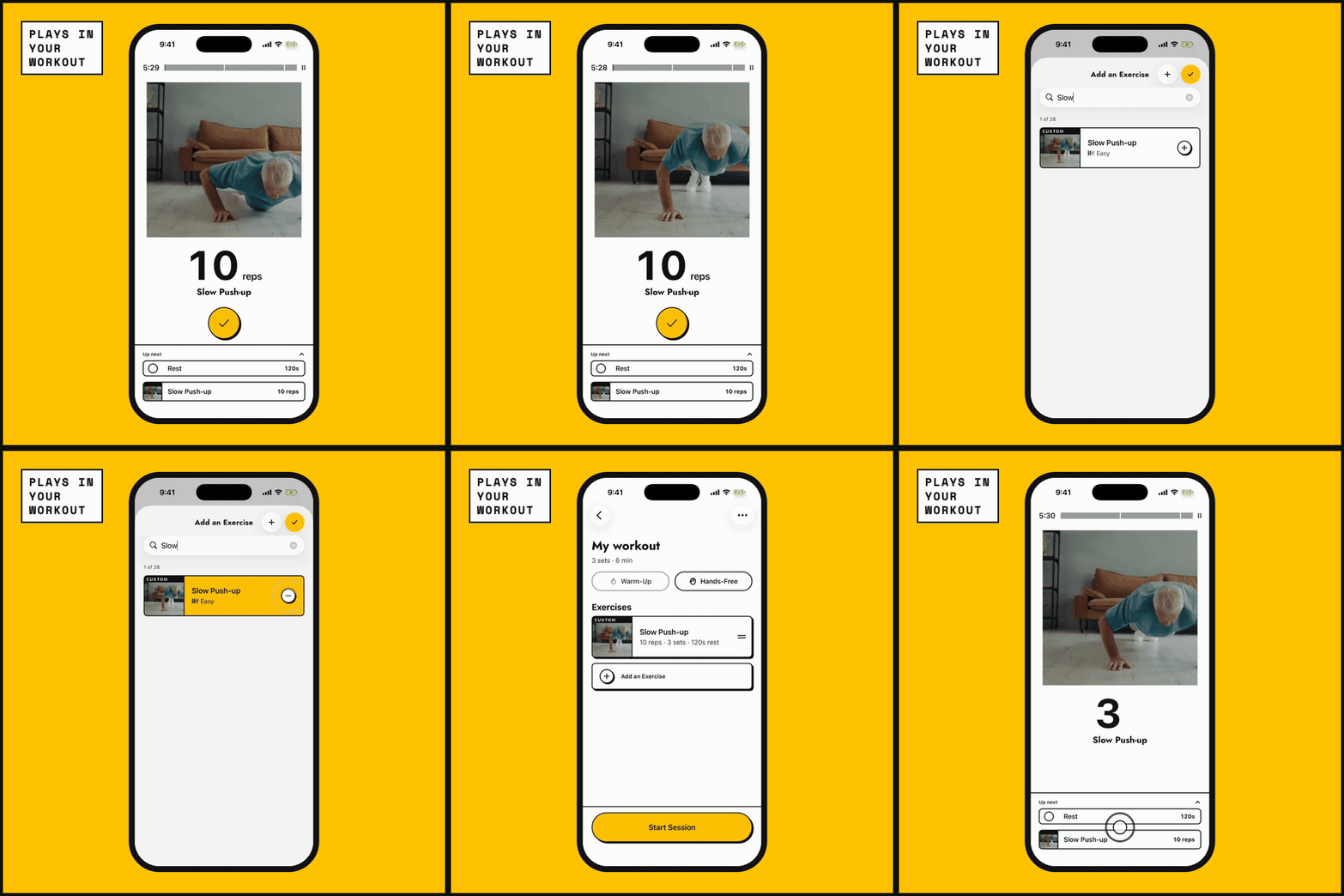
Tap + in the Library, name it, and pick the closest movement so it borrows the muscles. Then add your own video. Film it in the app, or pick one you already have, and trim it to five seconds. You choose the frame that becomes its thumbnail.
Then it works like any other movement. Add it to a workout, hit Start, and your own clip plays on the stage while you do the reps. It counts in your history too.
Also new: the You tab now draws your muscles front and back, with a square for each one and how many reps it got.
Update 6
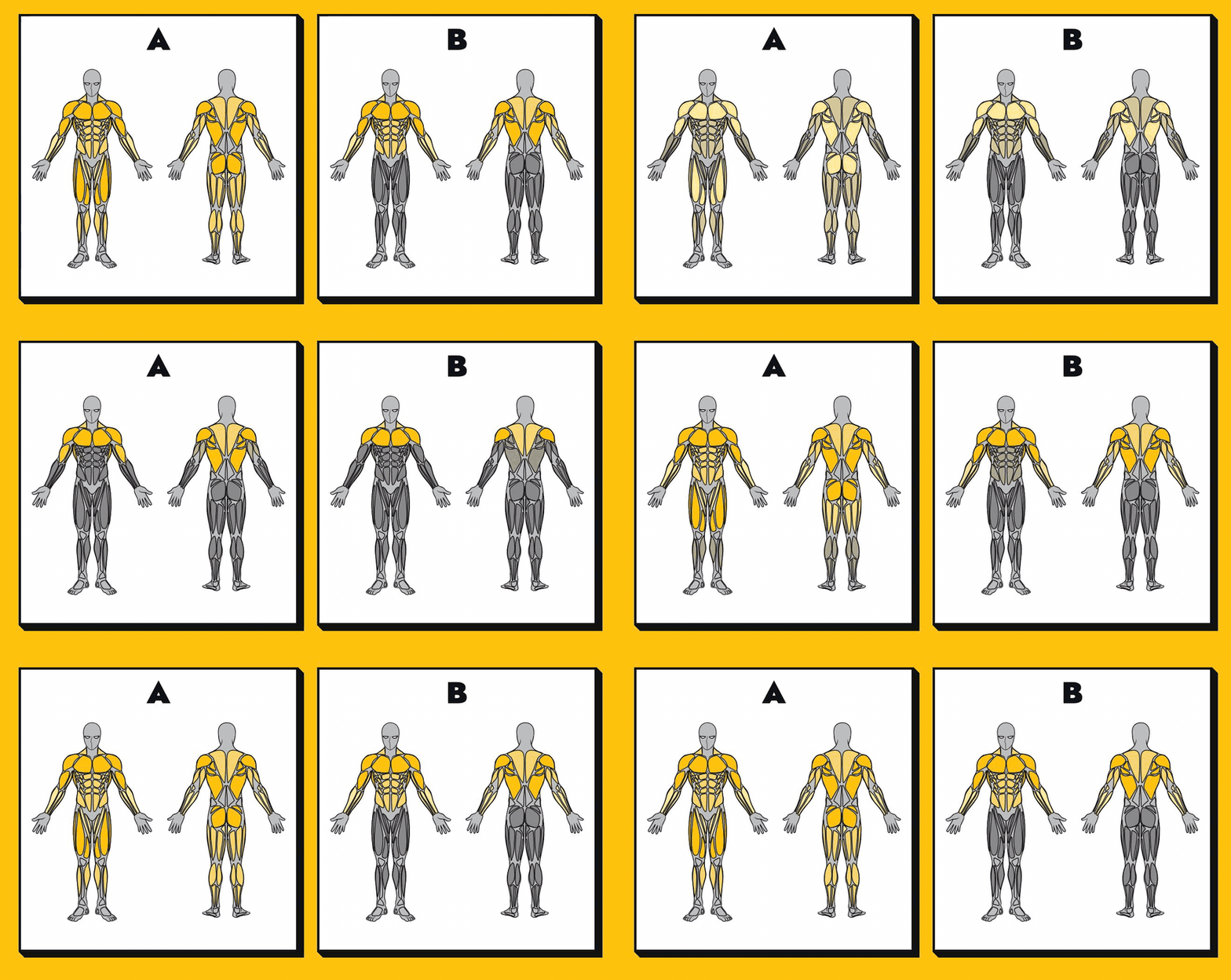
spot the difference
Two people, same app, same month. Spot the difference.
Took you two seconds, right? B hasn't done a single squat. Everything from the waist down is still grey.
Most people who train at home are B. Pull-ups most days, legs whenever they feel like it, which is never.
A training log won't show you this. It's a list of numbers, and numbers don't go grey.
So the app draws it. Open the You tab and Yellow Dude's body fills in where your reps went. Full yellow is where most of the work landed, pale yellow is where a muscle helped out, grey is untouched. Switch between this week, this month and the last 3 months.
Every rep counts, holds too. It's not a score and nobody else's body is on it.
It does dark mode now too.
Update 5
your rest is probably too long
Most of us rest way too long between sets. I do it too.
I finish a set, sit down and pick up my phone. Next thing I know, the two minutes I meant to rest turned into six. My arms have gone cold and the next set is way harder than it should be.
So the app watches the clock for you. You can use it two ways.
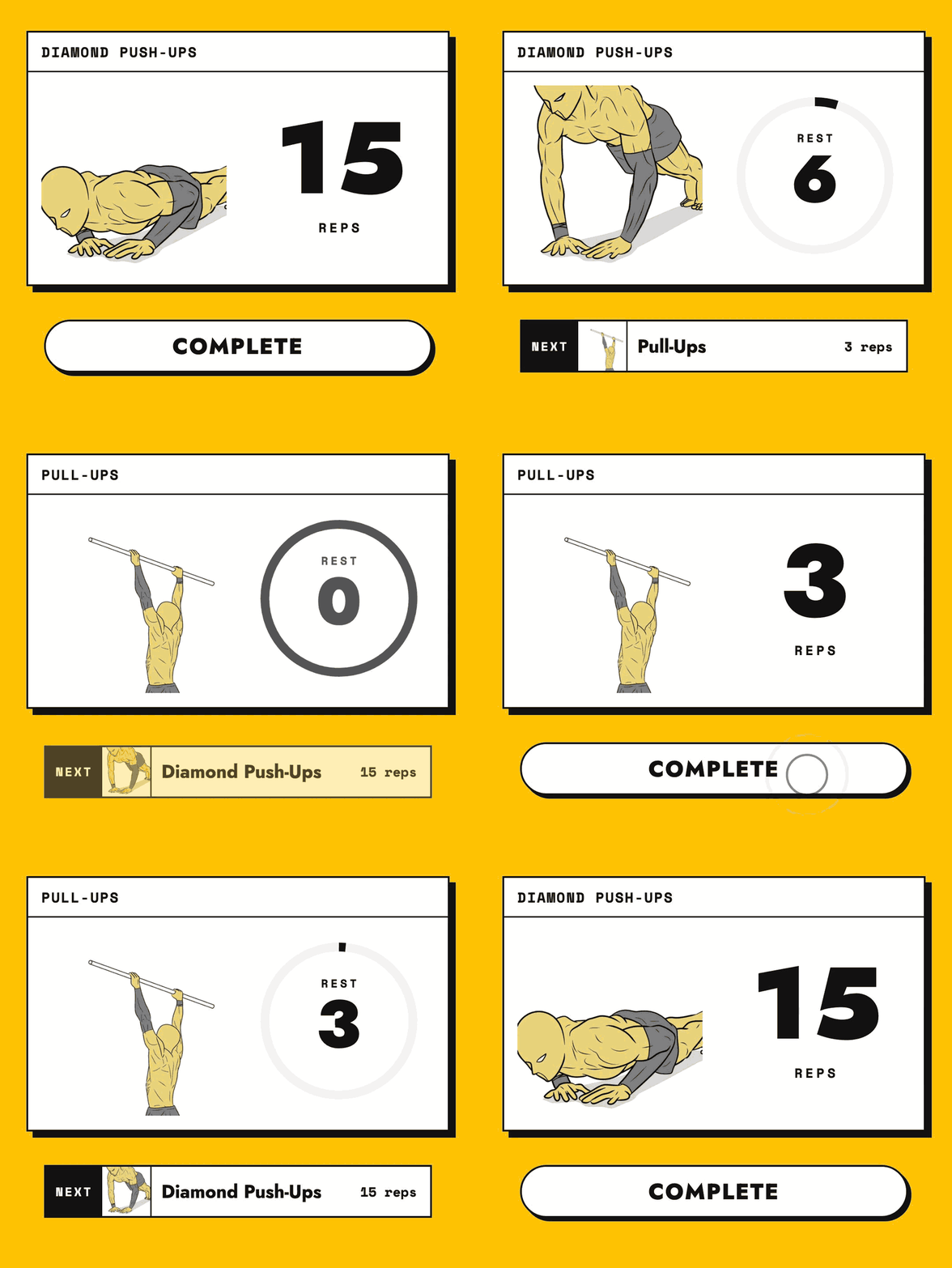
The normal way: do your set and tap Complete when you're done. The rest timer starts right then, and your next set is ready when it hits zero. You still go at your own pace. You just can't drift off.
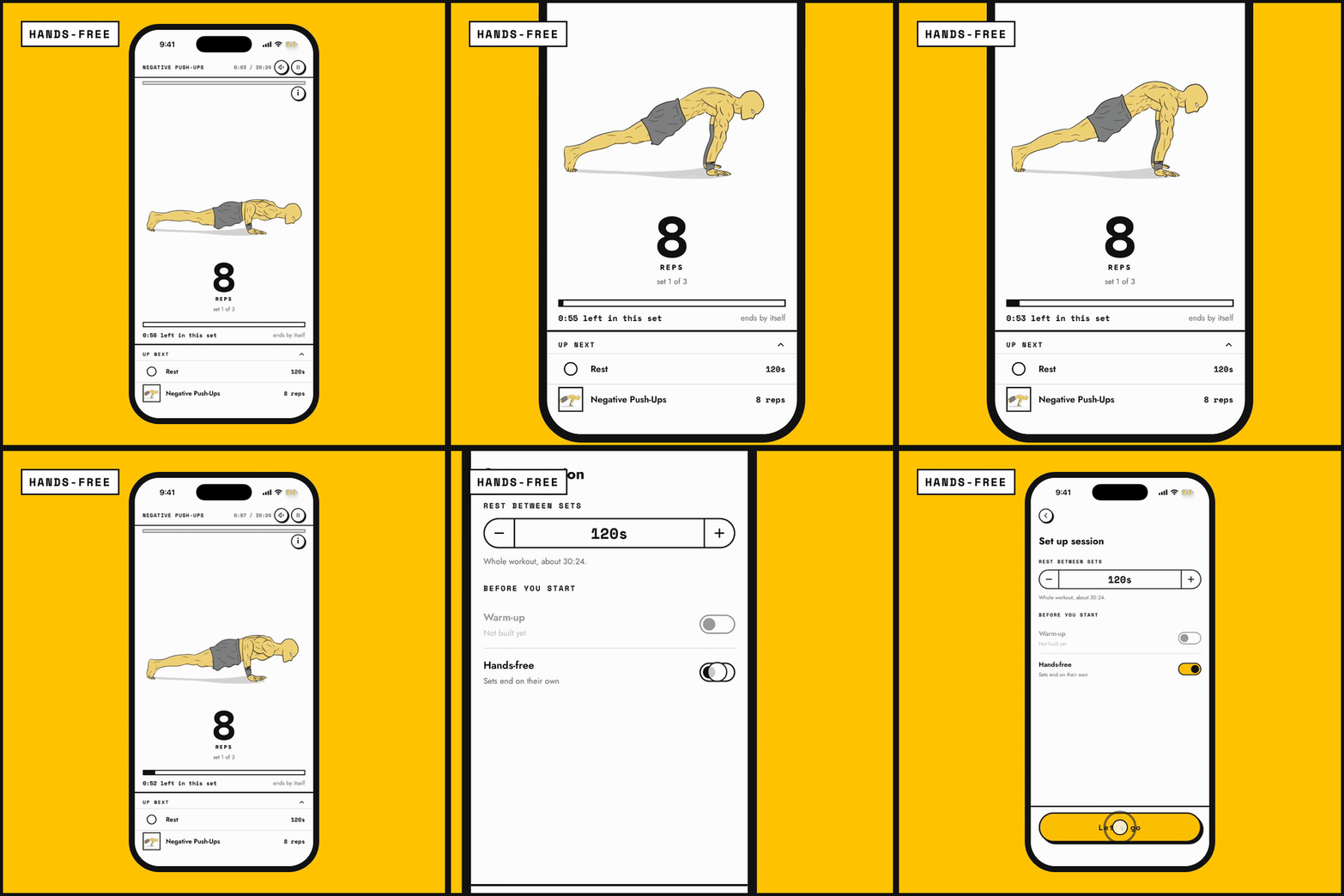
Or turn on hands-free and leave your phone on the floor. It times every set, tells you what's next and beeps you into the next one when your rest is up. You don't touch the screen once.
Either way, you rest as long as the workout says. Then you go again.
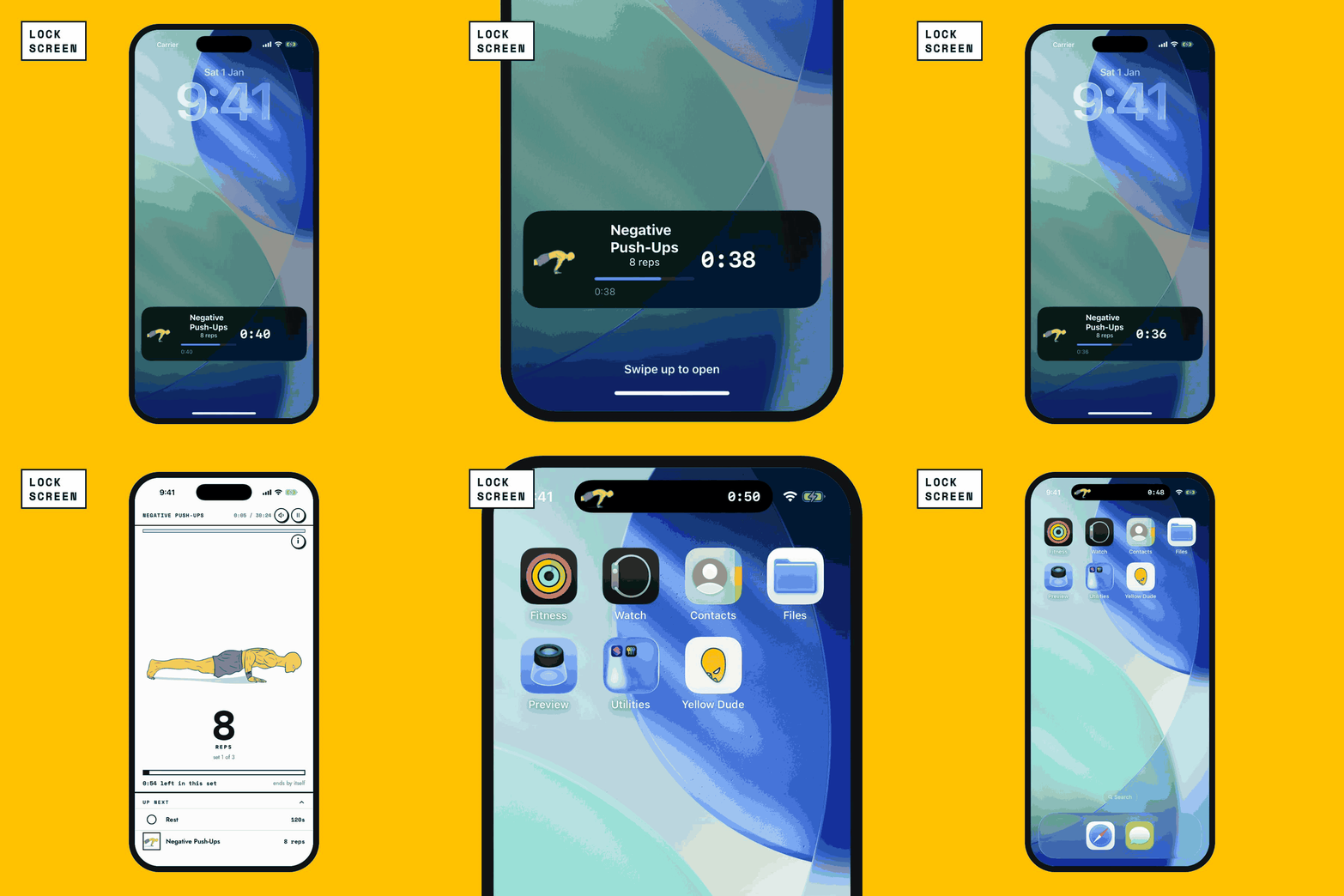
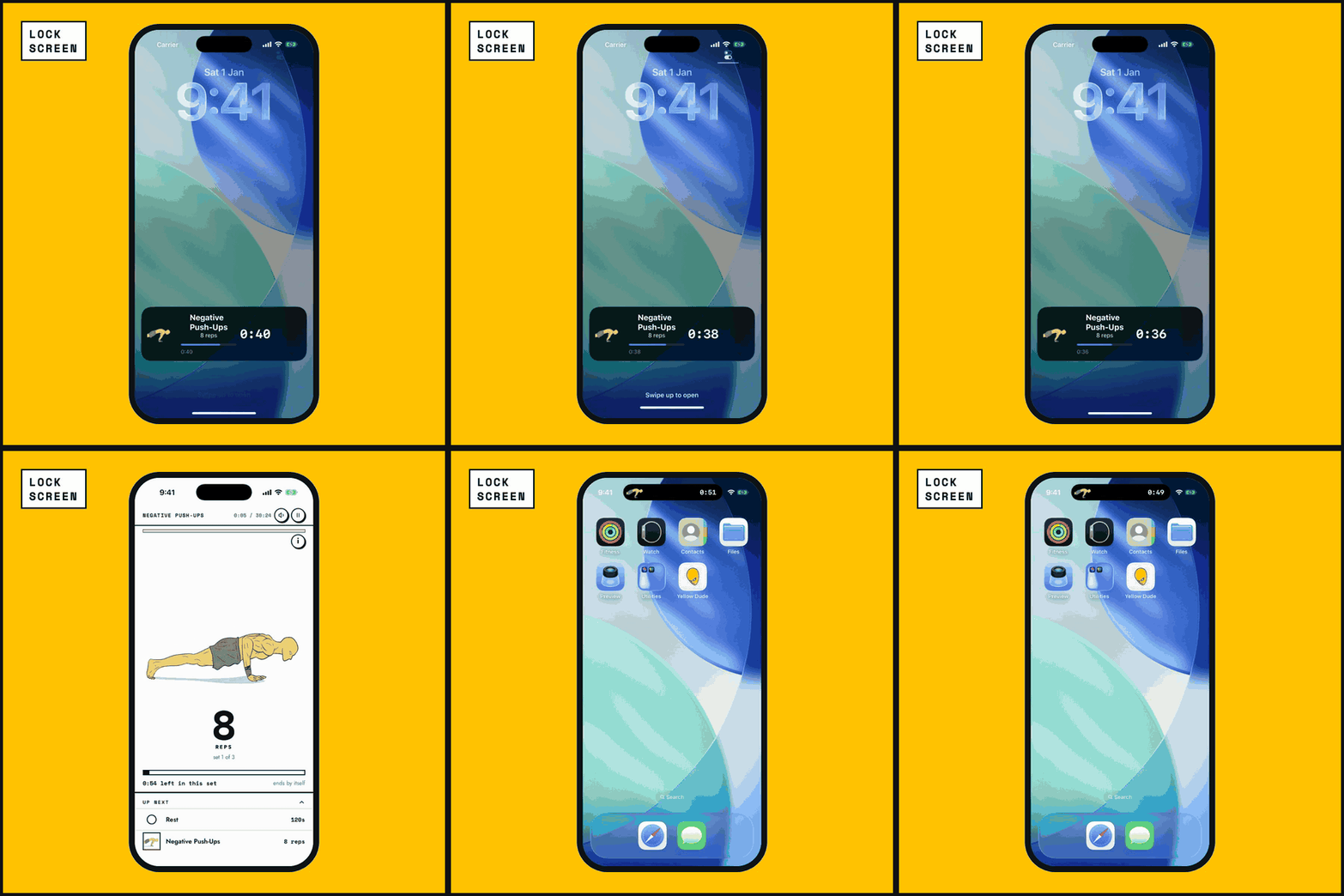
Lock your phone mid-rest and the count keeps going, right there on your lock screen and in the Dynamic Island.
Hands-free on the Lock Screen and in the Dynamic Island: the count keeps going with the phone locked
Update 4
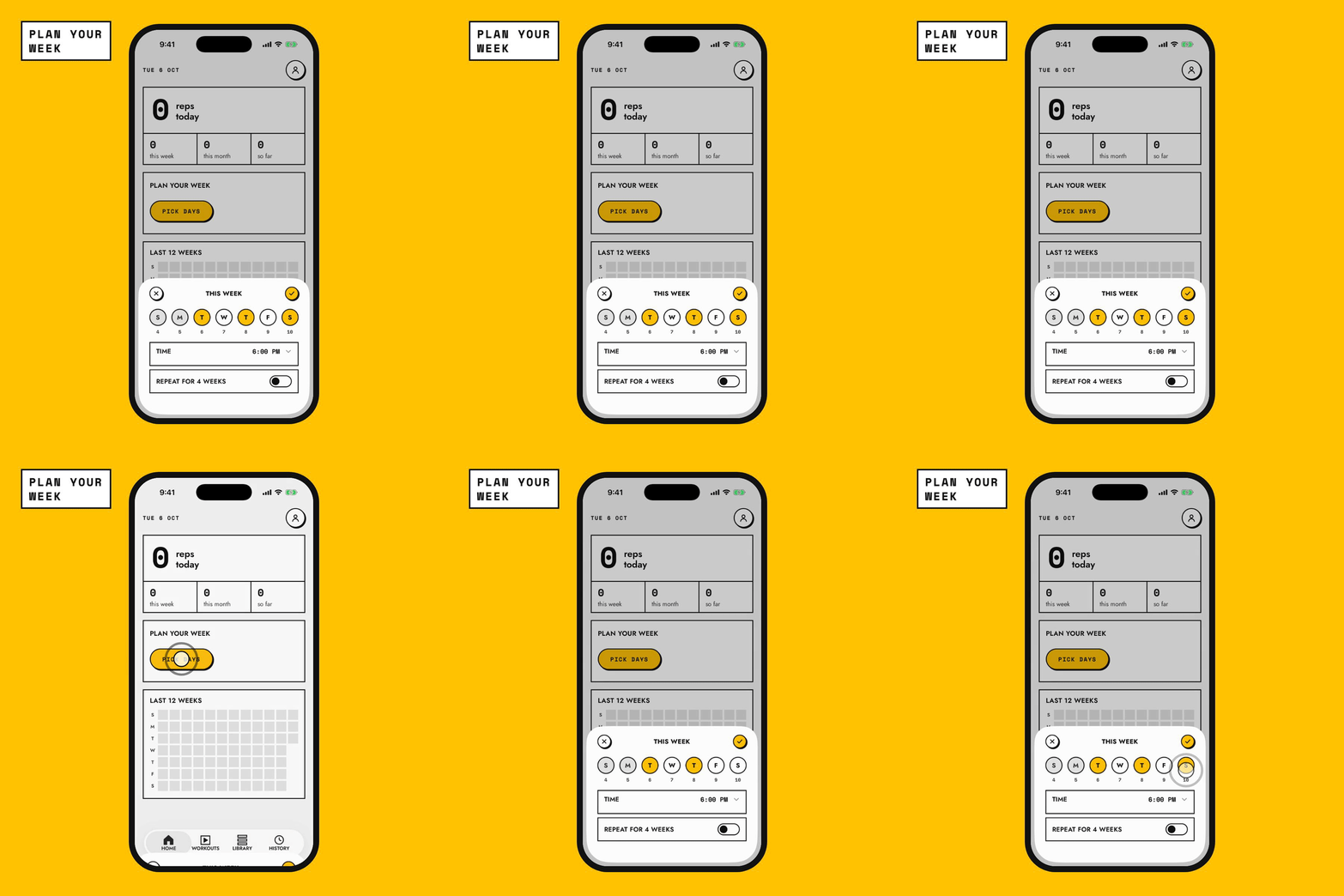
pick your days. we'll hold you to it
Most weeks don't fall apart on day one. They fall apart on a Tuesday, when the day gets away from you and nothing notices.
The app now opens on your week. Pick the days you'll train and a time, and on those days it reminds you: "It's Tuesday. You planned this one."
Day slipping away? It offers to save it before midnight with a 60-second plank or 10 push-ups, and the timer ends by itself. Skip that too, and the next morning you'll hear about it: "Tuesday called. It wants its workout back."
Update 3
watch the rep before you do it
You shouldn't have to guess what a movement looks like.
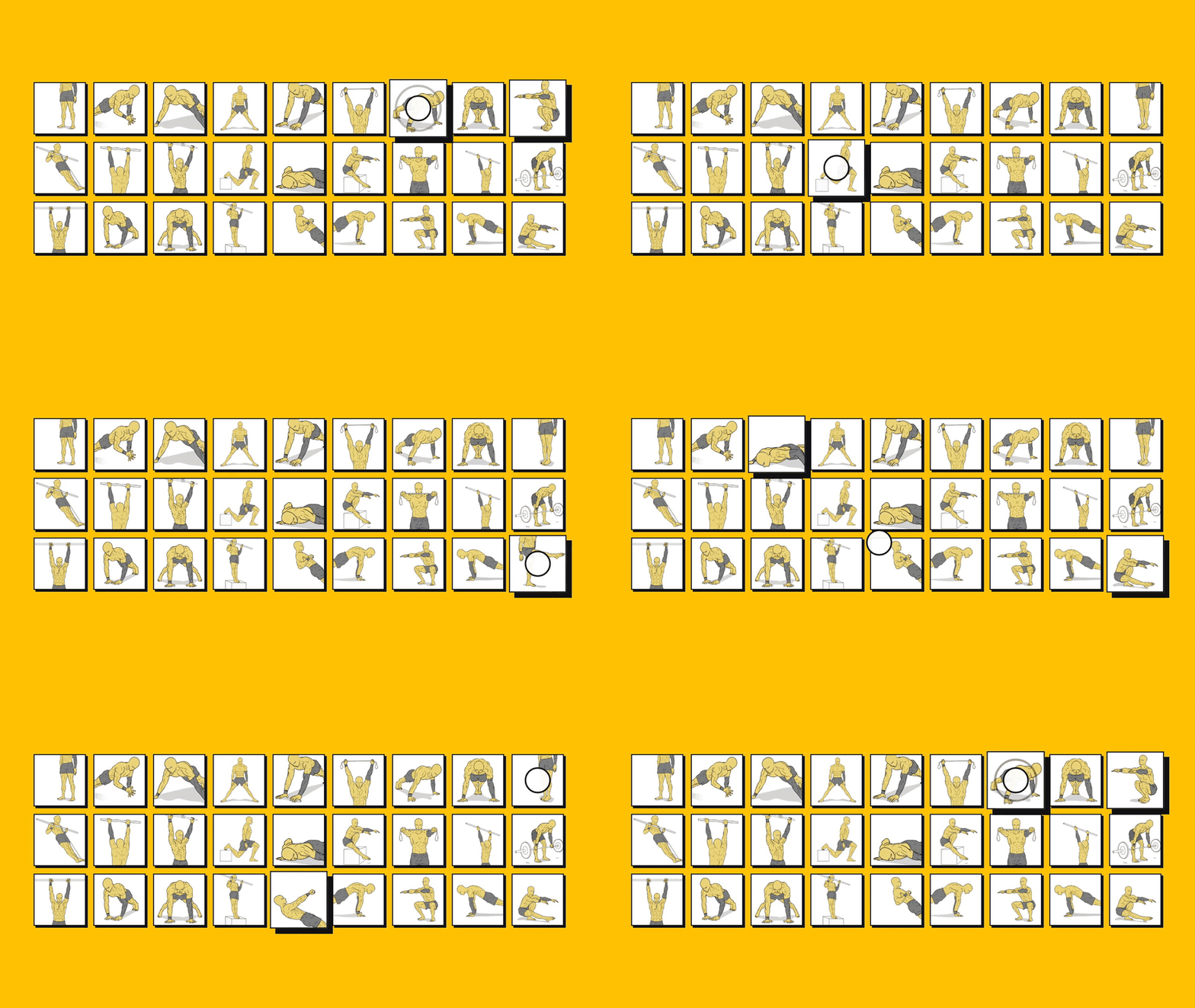
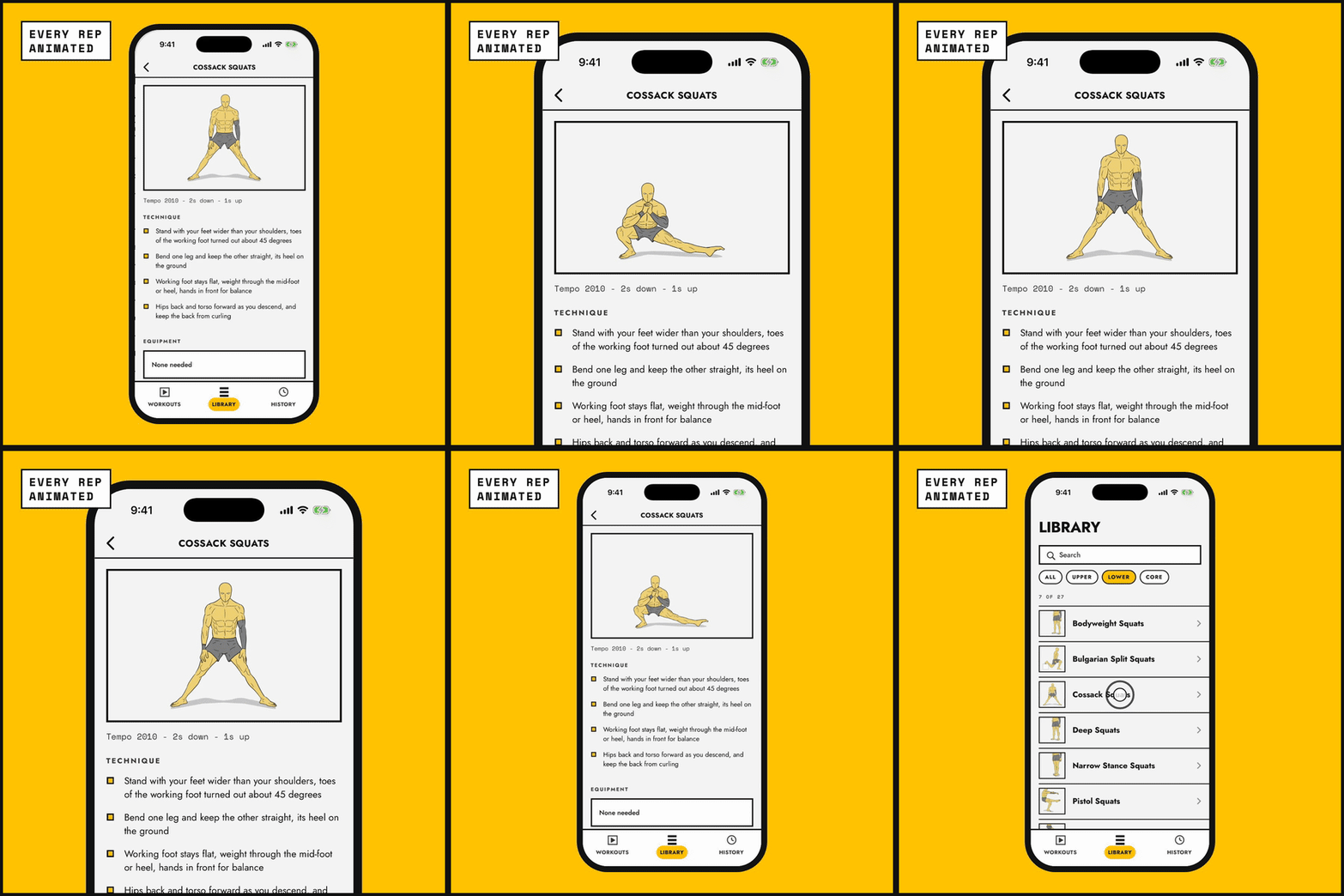
So every one of the 27 in the app is drawn by our animator, shadow and all, and every one of them moves, even in the lists.
Open any movement and watch a full rep before you try it: how low to go, where your hands sit, how long each part takes. It's the same drawing that plays in your workout, so the rep you studied is the rep you do.
More movements are on the way.
In hands-free you don't even need to unlock your phone. The lock screen shows the movement you're on and counts the set down, so one glance at the floor tells you where you are.
Jump to another app mid-rest and the Dynamic Island keeps the count too.
Update 2
your training follows you
Your training is yours now, whatever phone it's on.
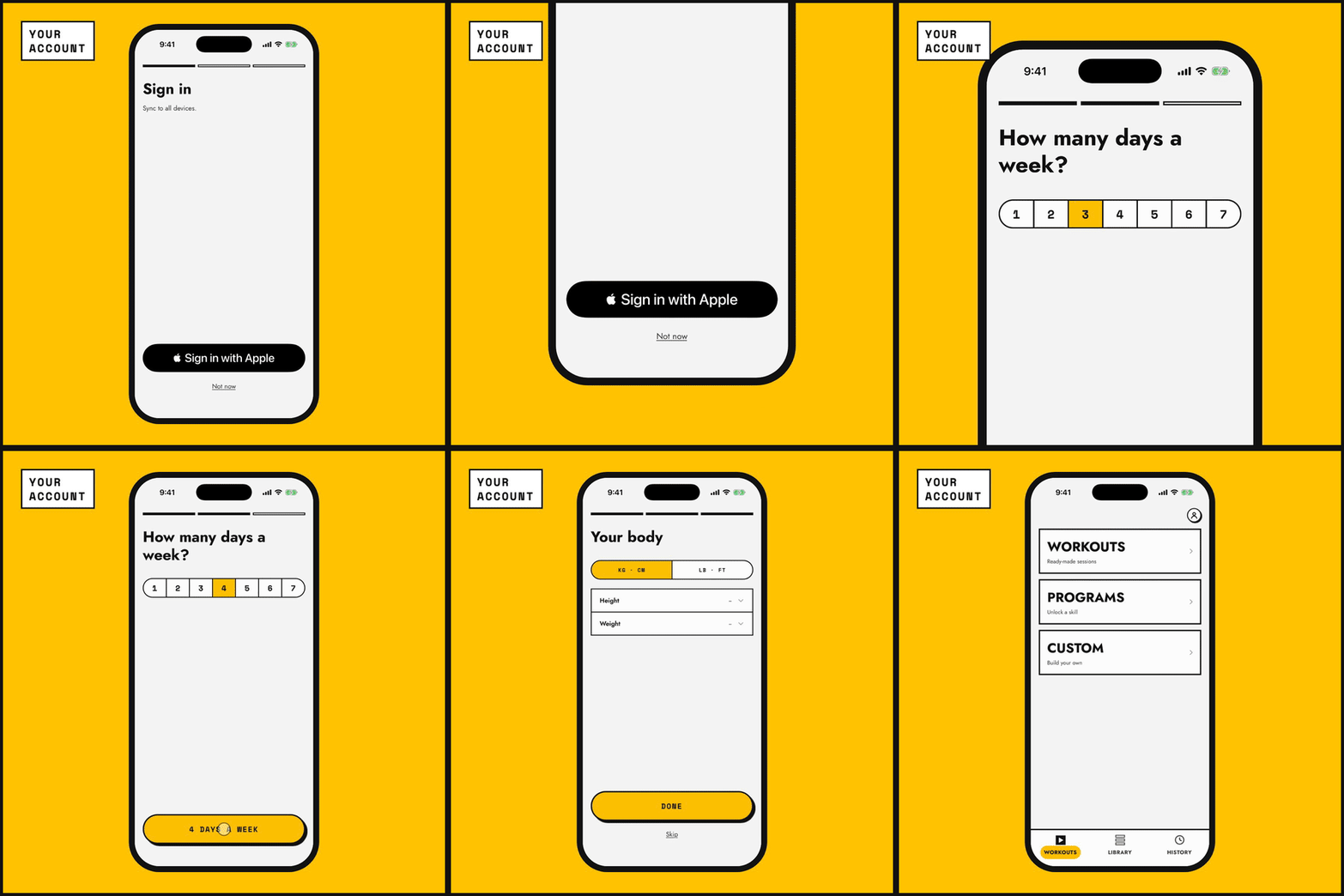
The first time you open the app, sign in with Apple and every session you log is saved to your account. Switch phones, sign in again, and your levels, your history and your effort map are right where you left them.
You can skip it too. Tap Not now and everything still works on the phone, then sign in from your profile whenever you like.
Every figure in the app is our animator's own drawing now, shadow and all, and every one of them moves, even in the lists.
Open any movement in the library and watch a full rep before you try it: how low to go, where your hands sit, how long each part takes.
Also new
The first time you open the app, pick how many days a week you train, and your height and weight if you like.
Profile, top right of Workouts: days a week, units, height and weight, sign out, or delete your account.
Update 1
pull and squat are in
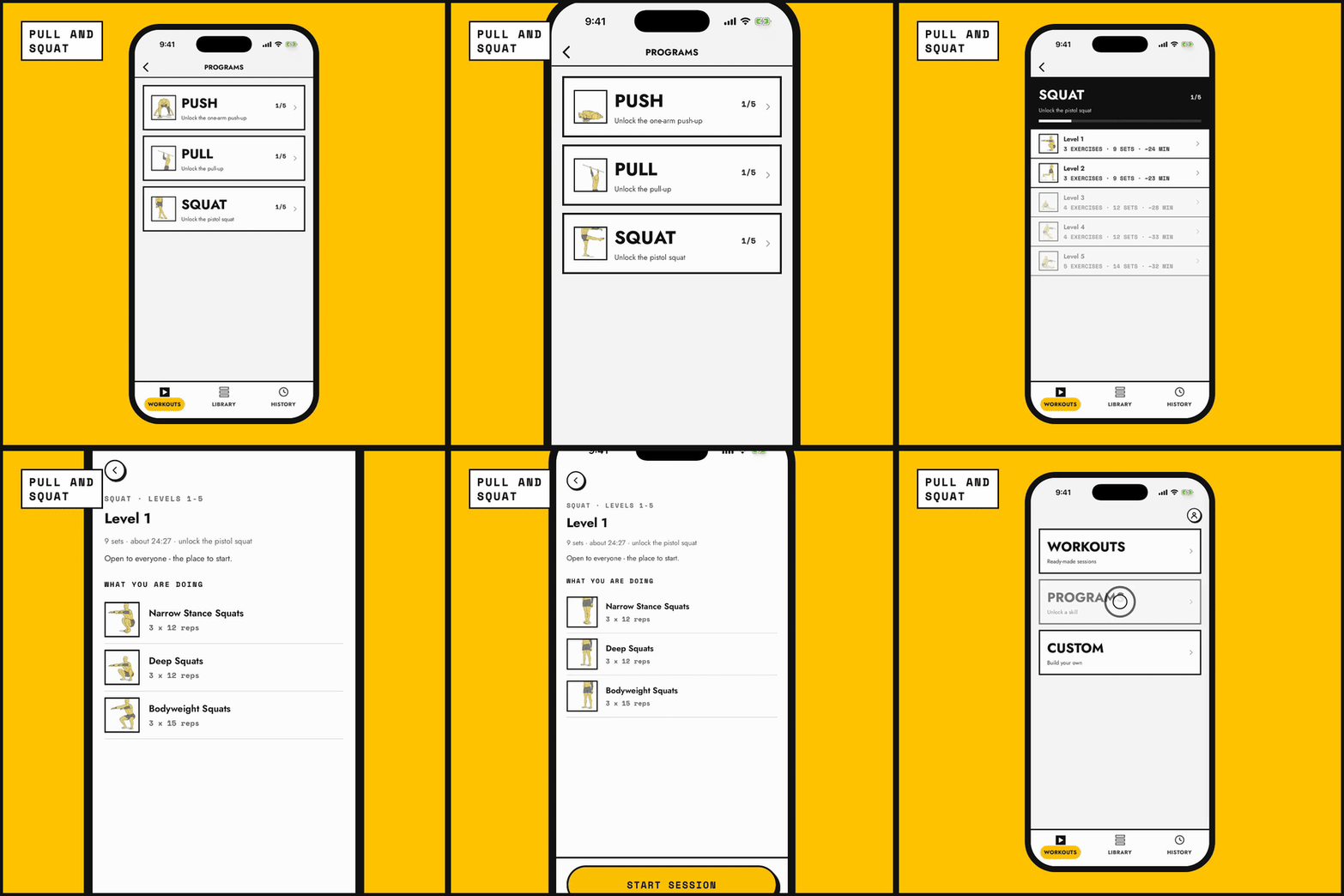
Push, pull and squat are all in the app now.
That's all 27 movements, built into three programs of five levels each. Each program climbs to a first: your first one-arm push-up, your first pull-up, your first pistol squat.
Every level has a standard to hit before you move up, and each one builds on the level before it, so progress gets easier as you go.
The player still answers the small questions for you. Open a level and the workout is already there: it shows the movement, counts the rest down and starts the next set on its own.
Hands-free takes the last tap away. Every set ends by itself and he talks you through it: the movement, the count-in, the rest and what's next. Your phone stays on the floor.
Also new
The screen stays awake for the whole session.
Workouts opens on three pages now: ready-made Workouts, Programs and Custom.